11
Check if you need to upgrade
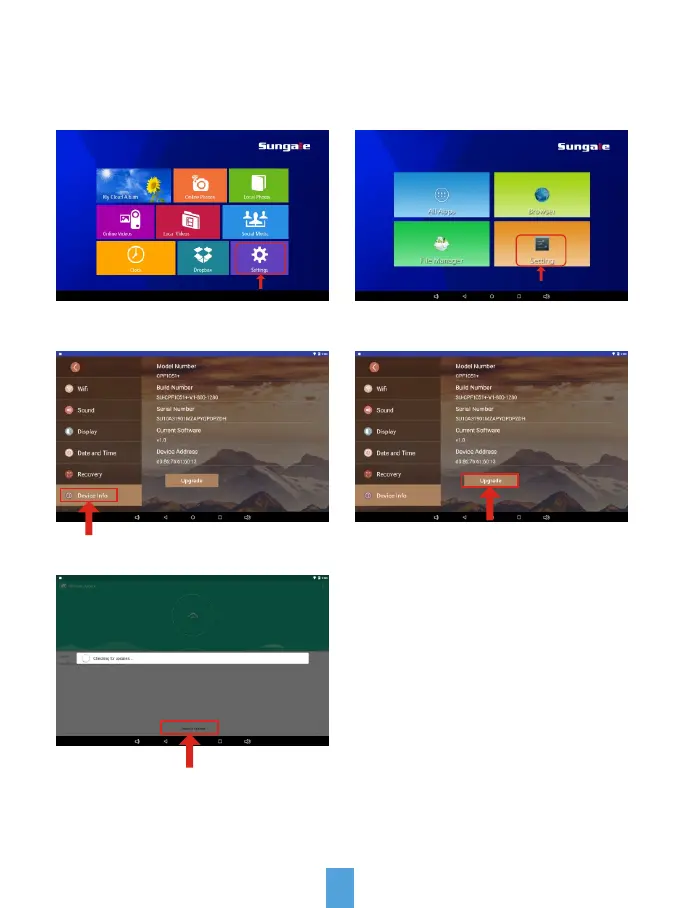
After Wi-Fi is connected, tap "Settings" on home screen, then tap Setting/
Device Info/Upgrade/Check for updates, System will auto inspect new Version.
Step1: Tap on "Settings" Step2: Tap on "Setting"
Step3: Tap on "Device Info" Step4: Tap on "Upgrade"
Step5: Tap on "Check for updates"



 To Next Page