25
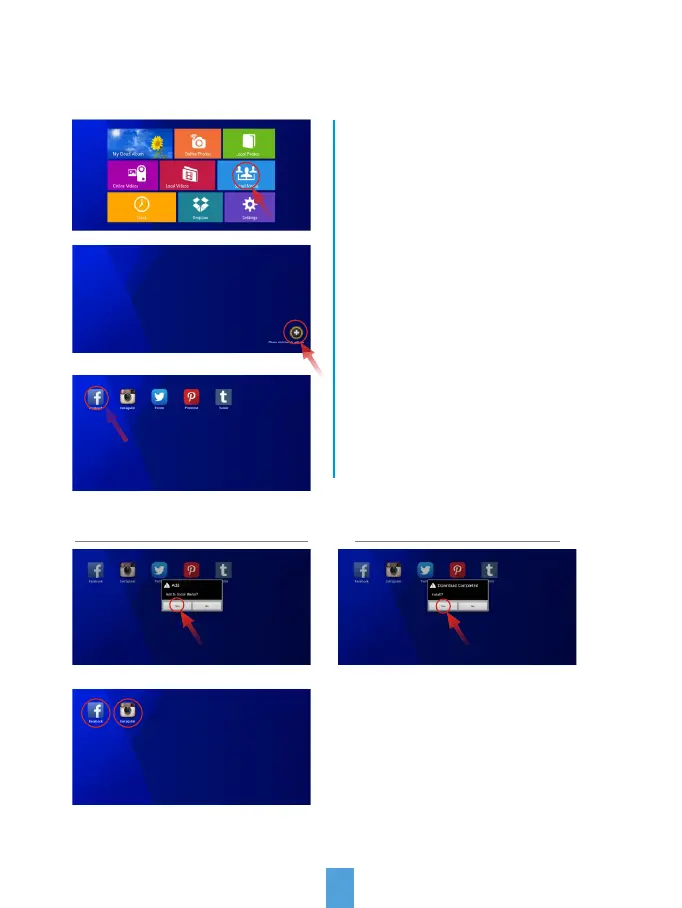
The Social Media tab gives you access to numerous online Social Media Hubs.
Select "YES" to download Select "YES" to install
After the installation is complete,
your Hub will be available on the
front screen. You can now select
and use it.
Select the "+" symbol in the lower
right corner to enter the online
storage back list.
Select any Hub to install and
download to your frame.
To access these Social Media Hubs
select Social Media.
Facebook Twitter
Social Media



 To Next Page