3. Manage Frame
Helpful Tips on the "Sungale Cloud" App
Linked Frame
41
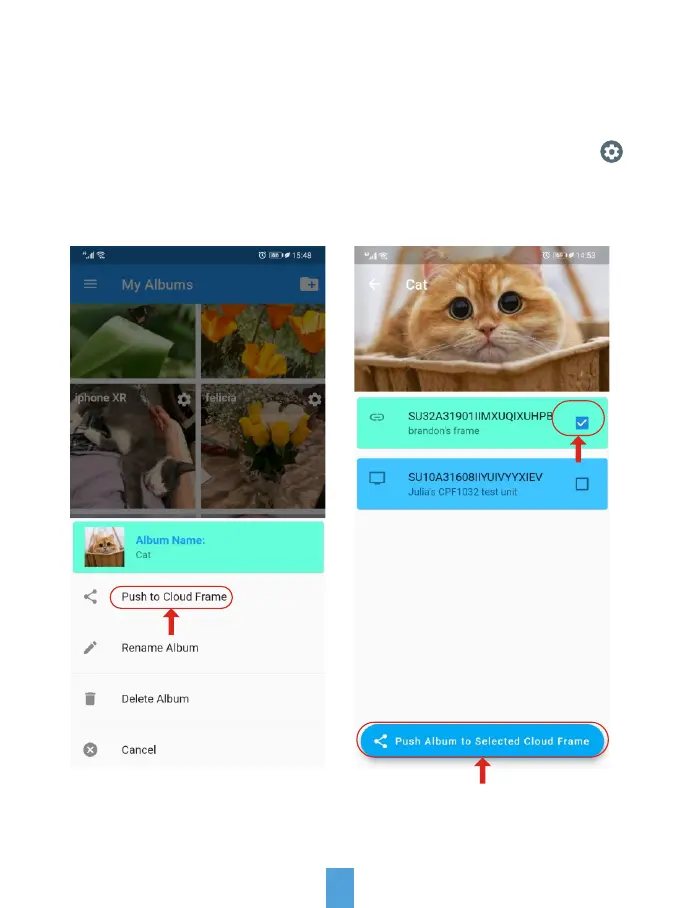
In My Album menu, select the album your want to push this linked frame, tap
icon then tap "Push to Cloud Frame".
Select this linked frame then then tap "Push Album to selected Cloud Frame".
Now the cloud album you pushed will appear on this linked frame shortly.



 To Next Page