6
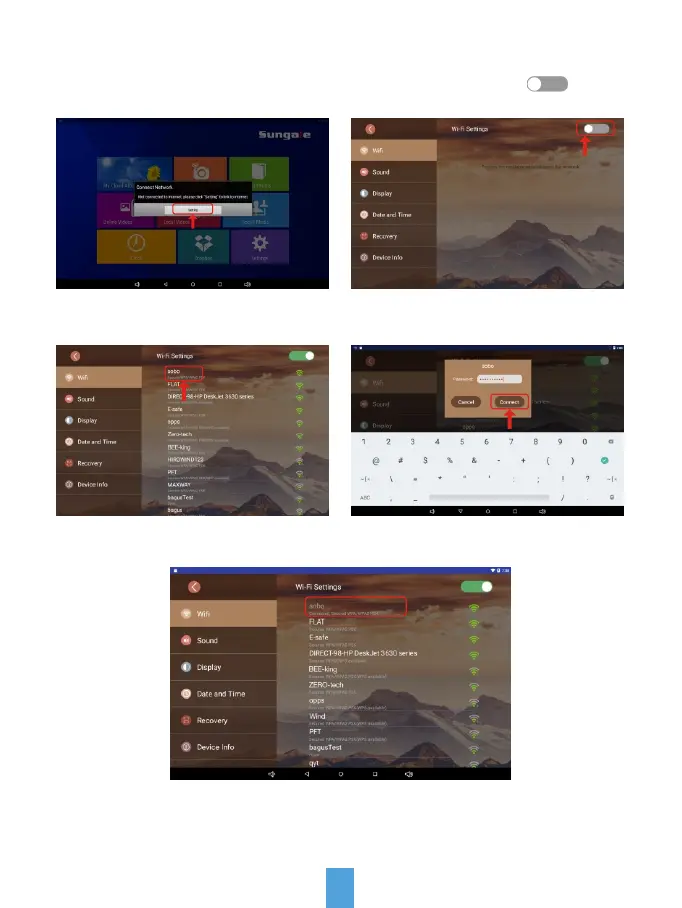
Link Wi-Fi
Step1: Tap "Settings" button on
the prompt.
Step3: Select your network.
Now, you can see your router has been connected, which means your frame
has been linked to internet.
Step2: Tap WiFi button ( ) to
turn on.
Step4: Input your password, and then
tap "Connect" button.



 To Next Page