55
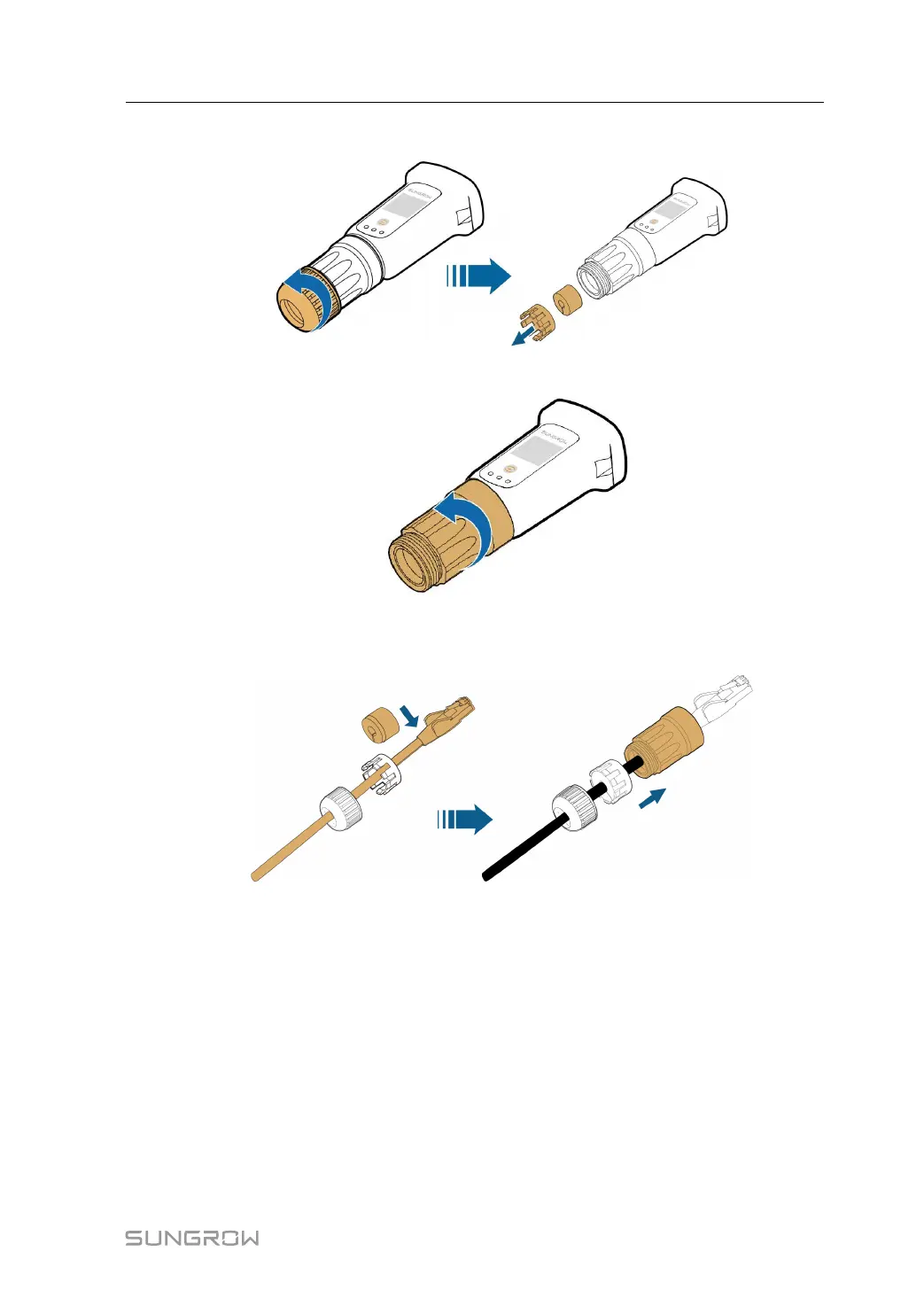
step 2 Unscrew the swivel nut from the communication module and take out the inner sealing ring.
step 3 Unscrew the housing from the communication module.
step 4 Thread the network cable through the swivel nut and gasket. Afterwards, route the cable into
the opening of the sealing. Finally, insert the cable through the housing.
step 5 Insert the RJ45 plug into the front plug connector until there is an audible click and tighten
the housing. Install the gasket and fasten the swivel nut.
User Manual 5 Electrical Connection








 To Next Page