88
figure 7-3 WLAN Local Access
step 6 After finishing the settings, tap TUNR ON DEVICE at the upper right corner and the device
will be initialized. The App will send start instructions and the device will start and operate.
step 7 After initialization settings, the App will return automatically to the home page.
- - End
7.5 Initial Settings
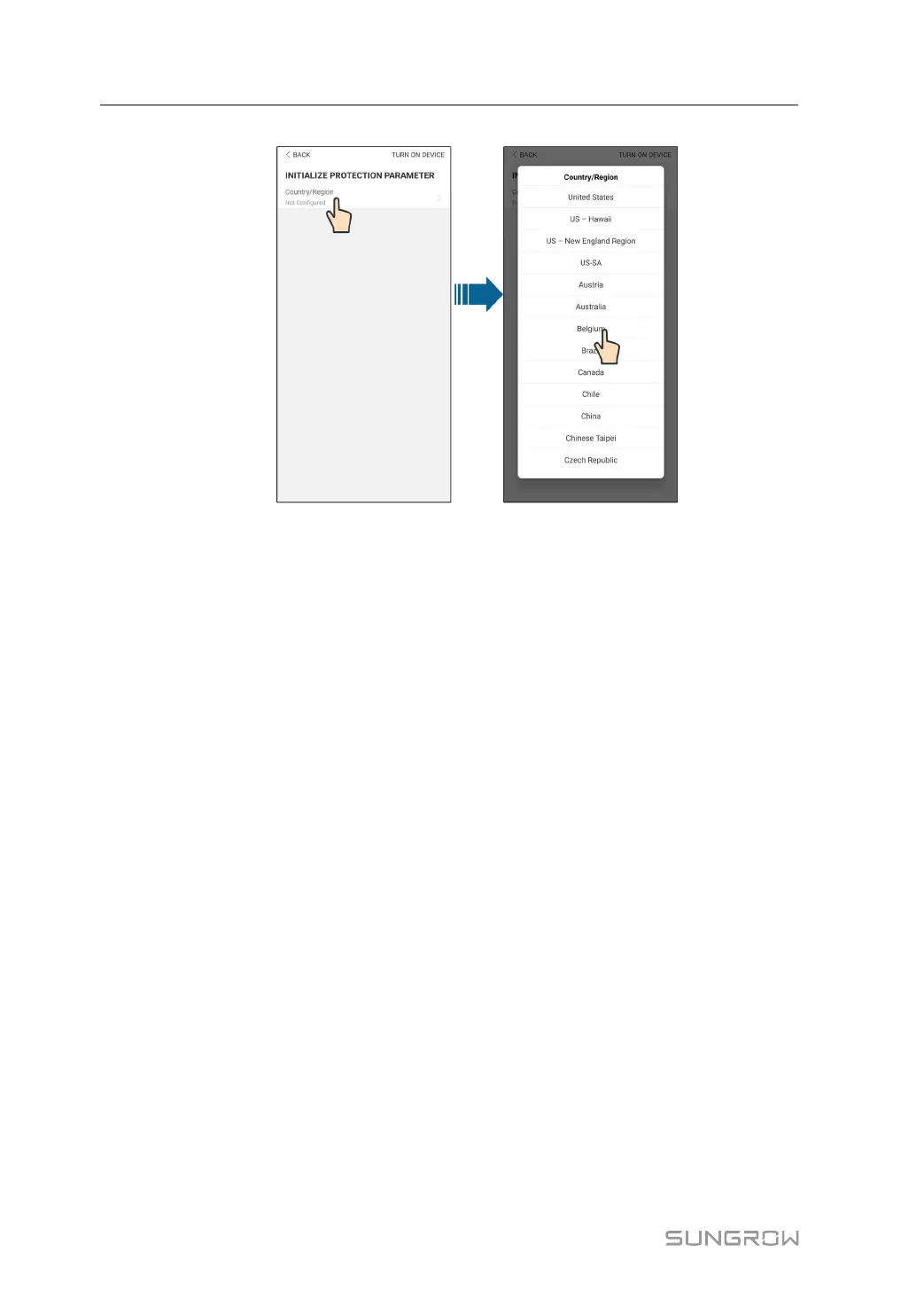
Tap Country/Region and select the country where the inverter is installed. For countries ex-
cept Australia and Germany, the initialization is completed.
7 iSolarCloud App User Manual






 To Next Page