7 LCD Operation User Manual
62
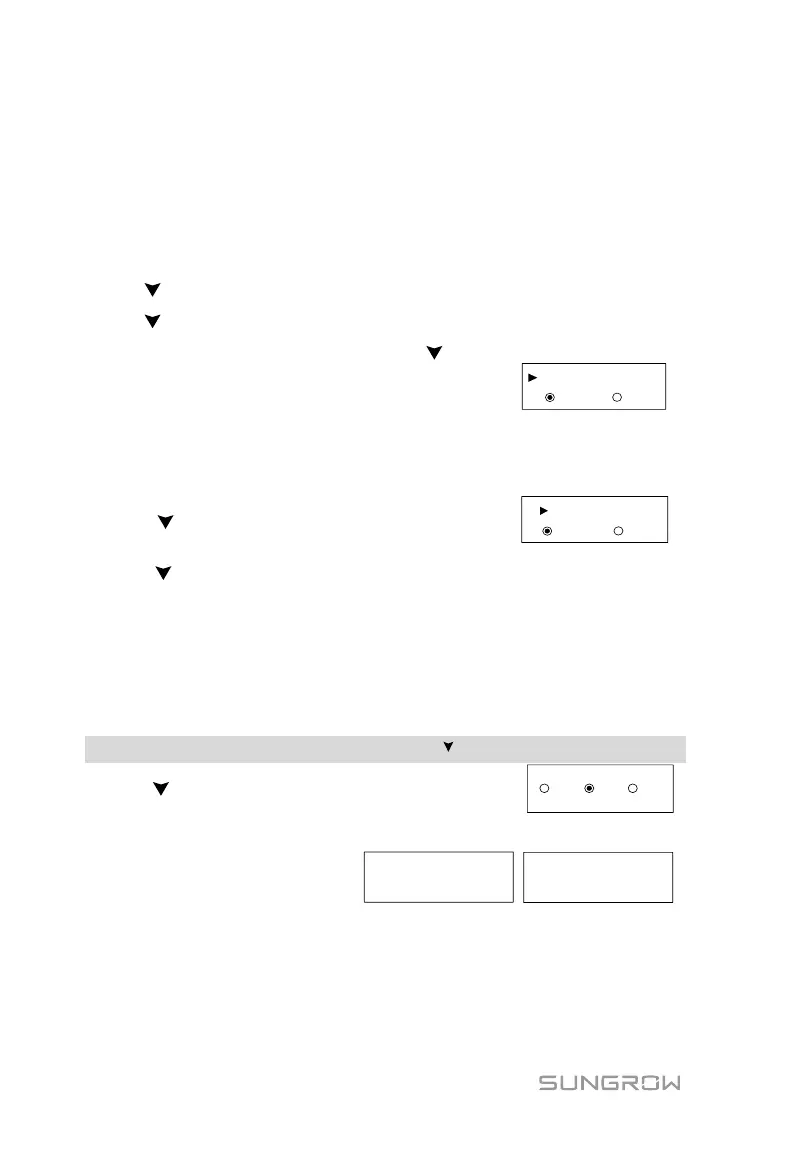
7.5.7 Energy Adjustment
If the accumulative value “E-total” displayed on inverter screen is different from
the value indicated on the metering device, you should adjust the energy
deviation.
(Energy Adj. value) = (Real measured value) - (E-total reading value)
Touch ENT for modification.
Touch to change the value and touch ENT to move the cursor.
Touch to select “Enter” and touch ENT to confirm settings.
The “+” can be changed to “-” by touching .
The adjustment ranges from -9999 kWh to +9999
kWh.
+0000 kWh
Enter Esc
Energy Adj.
7.5.8 Setting Communication Parameter
Touch ENT for modification.
Touch to set the appropriate value and
touch ENT to move the cursor.
Touch to select “Enter” and touch ENT to
confirm settings.
Device address range: 1-246.
7.6 Starting/Stopping the Inverter
Main Screen (Touch ENT) → Menu (Touch ) → ON/OFF (Touch ENT)
Touch to select and touch ENT to confirm.
Confirm your selection by touching ENT.
Confirm turn on? Confirm turn off?


 To Next Page
 Loading...