User Manual 7 LCD Operation
65
7.10 Viewing Device Info
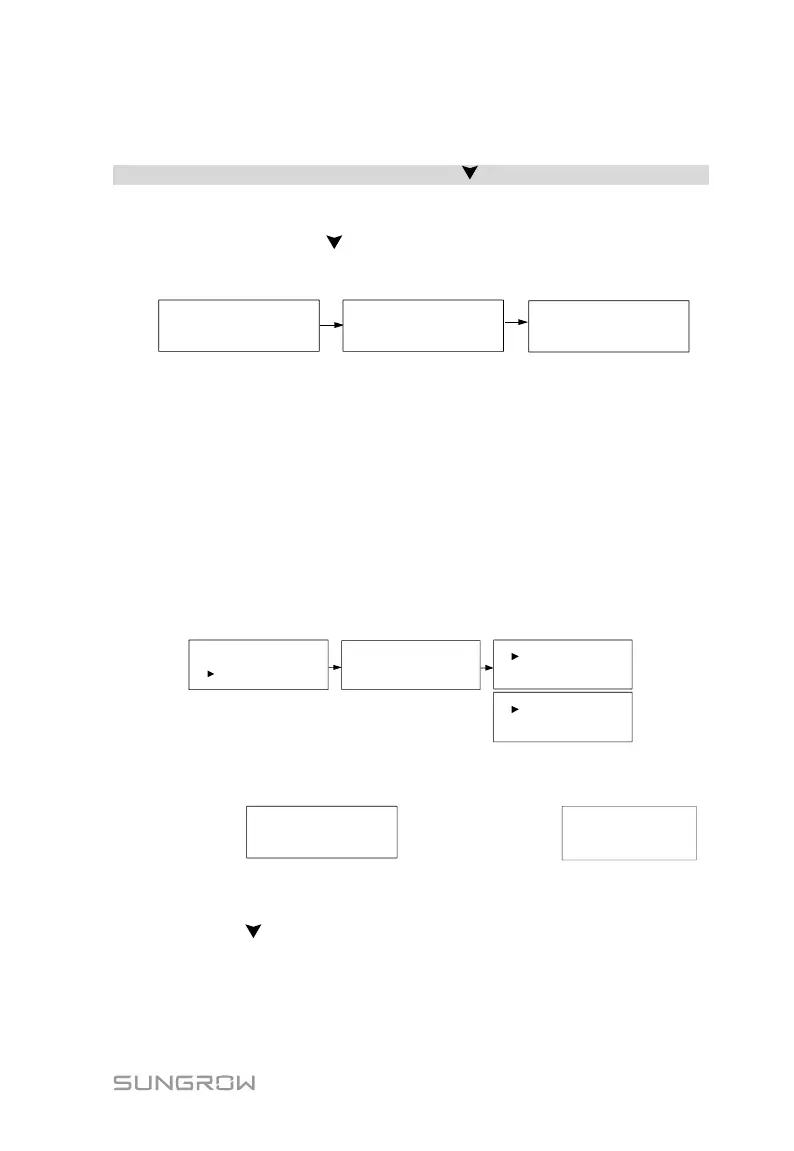
Main Screen (Touch ENT)→Menu (Touch )→Device Info (Touch ENT)
These interfaces show the read-only information.
Scroll pages by touching .
Touch ENT to exit.
SG3K-S
Device Type:
SN:
A1610090001
Country:
Oth
Version
:
CrysG2-V31_FW_V22
7.11 Italian Functions
7.11.1 Auto Test
The inverter is integrated with interface protection functions and provides an
auto test system to verify the maximum / minimum frequency and maximum /
minimum voltage functions. The “Auto Test” item can only display when the
country code is set to “IT” (Italy), so the screenshots introduced in this section
will be in Italian.
Touch ENT to confirm “Auto Test” and start the auto test.
Device Info
Sola Italia
Iniziare Autotest
SPI locale
Password: 0 0 0
Esc
Please ask SUNGROW or
your dealer for this password.
*
Touch ENT to start the auto test. If the inverter is in the status of “Error” or
“Turn off”, it cannot start the test and a prompt interface will appear.
Conferma per iniziare
Auto-test?
Non possibile avviare
in caso di guasto!
During normal auto testing, the LCD will automatically cycle through the grid
protection testing items.
You can touch to quit this interface with the test normally going.







 To Next Page