10
3
Unpacking and Storage
3.1 Unpacking and Inspection
The device is thoroughly tested and strictly inspected before delivery. Nonetheless, damage
may still occur during shipping. For this reason, please conduct a thorough inspection after
receiving the device.
• Check the packing case for any visible damage.
• Check the inner contents for damage after unpacking.
Contact SUNGROW or the transport company in case of any damage or incompleteness,
and provide photos to facilitate services.
Do not dispose of the original packing case. It is recommended to store the device in the ori-
ginal packing case when the product is decommissioned.
After receiving the product, check whether the appearance and structural parts of
the device are damaged, and check whether the packing list is consistent with the
actual order. If there are problems with the above inspection items, do not install
the device and contact SUNGROW in time.
If any tool is used for unpacking, be careful not to damage the product.
3.2 Storage
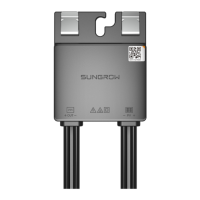
If the optimizer is not put into operation immediately, store it under specific environmental
conditions.
• Repack it with original packing case.
• The storage temperature ranges from -40 °C to 85 °C, and the relative humidity ranges
from 0 to 100%, without condensation.
• Stacking layers of optimizer shall not exceed the "stacking layer limit" marked on the out-
er case.
• The packing case cannot be tilted or turned upside down.
• Do not store the product in places susceptible to direct sunlight, rain, and strong electric
field.
• Do not place the product in places with items that may affect or damage the product.


 To Next Page