11
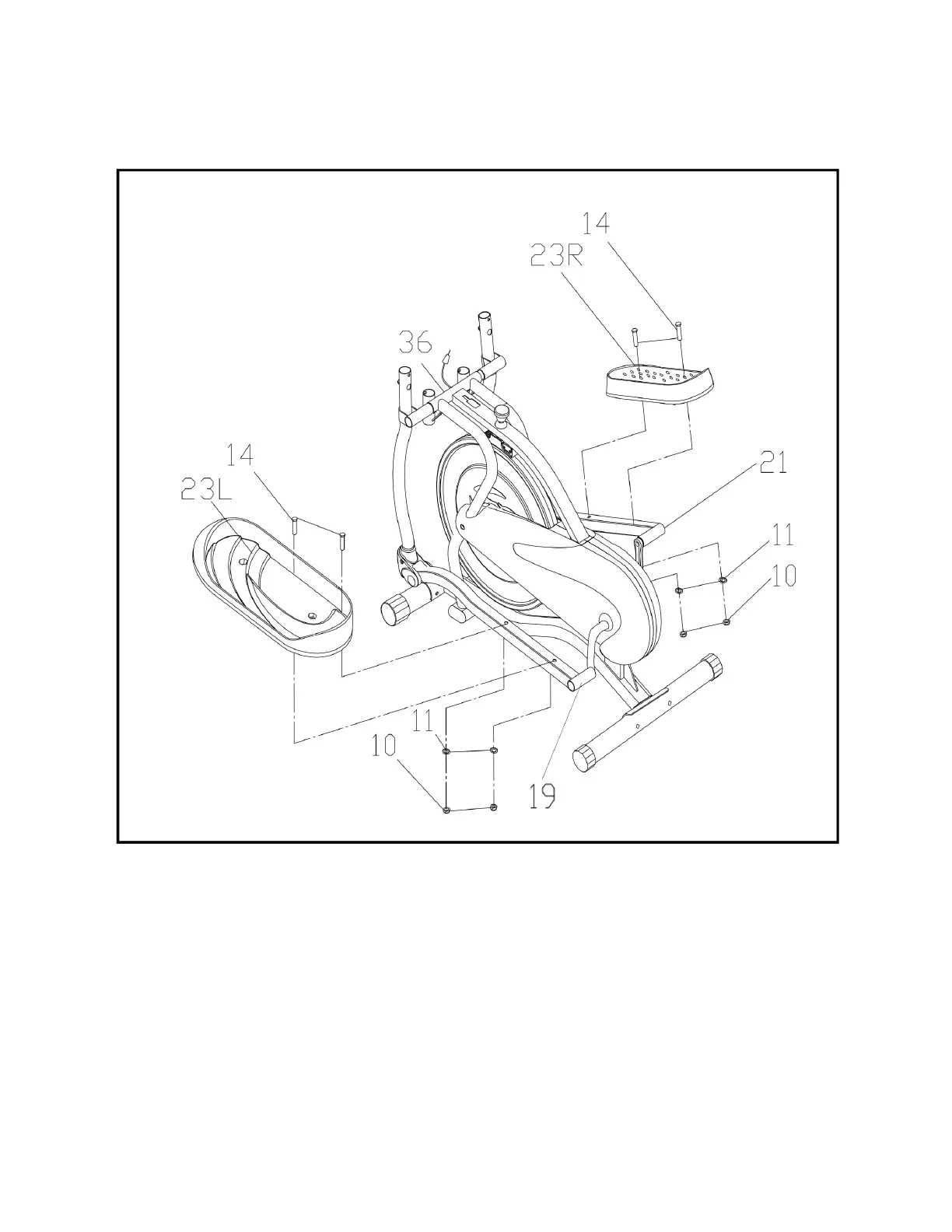
STEP 3: TIGHTENING THE LOCK NUTS & ATTACHING THE PEDALS
Unscrew the Lock Nuts (No. 10) from the Hex Head Bolt (No. 14) before assembling
the pedals. Attach the Left Pedal (No. 23L) and the Right Pedal (No. 23R) to their
respective Pedal Tube (No. 19 & No. 21).
Line up the holes in the pedal with the holes on the pedal tube. Insert the Hex Head
Bolt (No. 14) through the holes. Slide the Flat Washer (No. 11) and the Lock Nut (No.
10) over the Hex Head Bolt (No. 14) and tighten using the Spanner.


 To Next Page