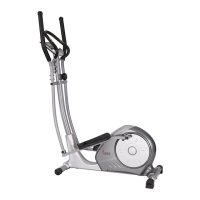
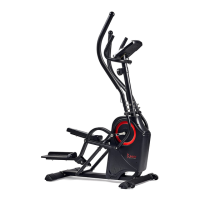
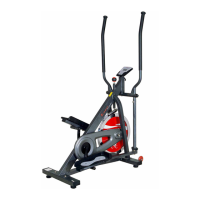
This document is a user manual for the Sunny Health & Fitness Elite Interactive Series Exercise Elliptical, model SF-E320048. It provides comprehensive instructions for assembly, operation, maintenance, and troubleshooting of the elliptical machine.
Function Description:
The Sunny Health & Fitness Elite Interactive Series Exercise Elliptical is designed for indoor and home use, offering a full-body, low-impact cardiovascular workout. It features an interactive computer monitor that tracks various workout metrics and supports connection to the SunnyFit app for enhanced training and data recording. The elliptical allows users to adjust tension levels to customize workout intensity.
Important Technical Specifications:
- Model Number: SF-E320048
- Maximum Weight Capacity: 275 pounds (125 KG)
- Tension Levels: 12 levels (Level 1 being the lowest, Level 12 being the highest)
- Computer Power: 2 AA batteries (1.5V UM-3)
- Room Temperature Display Range: 10℃ to 60℃
- Computer Functions: Time, Distance, Calories, Pulse, Speed, RPM, Calendar, Clock, Temperature, Body Fat measurement (including AGE, HEIGHT, WEIGHT input, BODY FAT %, BMI).
- Connectivity: Bluetooth for SunnyFit app integration.
- Dimensions (implied by parts list): Various components indicate a robust structure, but overall assembled dimensions are not explicitly stated.
Usage Features:
- Adjustable Tension: Users can easily adjust the resistance level by rotating the Tension Control Knob (No. 80) clockwise to increase tension and counter-clockwise to decrease it. There are 12 distinct tension levels available.
- Interactive Computer Monitor (No. 79): The monitor displays real-time workout data including Time, Distance, Calories, Pulse, Speed, and RPM. It also features a calendar, clock, and room temperature display when in sleep mode.
- Body Fat Measurement: The computer includes a Body Fat function where users can input personal data (age, height, weight) to calculate Body Fat percentage and Body Mass Index (BMI).
- Recovery Test: A recovery test function is available to assess heart rate recovery status after exercise, providing a rating from F1 (best) to F6 (worst).
- Target Value Setting: Users can preset target values for Time, Distance, Calories, and Pulse. The monitor will count down from the target during training and beep when the target is achieved.
- Pulse Measurement: Handgrip sensors (No. 16) allow for real-time heart rate monitoring.
- SunnyFit App Integration: The elliptical connects via Bluetooth to the SunnyFit app, enabling users to display, track, and record workout statistics on their mobile devices. The app provides a more interactive and data-rich training experience.
- Transportation Wheels (No. 70): Located on the Front Stabilizer (No. 9), these wheels allow for easy movement and relocation of the elliptical by lifting the rear of the machine.
- Adjustable End Caps (No. 71): Six adjustable end caps on the Front Stabilizer (No. 9) and Rear Main Frame (No. 10) help stabilize the elliptical on uneven floor surfaces, ensuring a smooth and comfortable ride.
- Bottle Holder (No. 77): A convenient bottle holder is included for hydration during workouts.
Maintenance Features:
- Regular Cleaning: The elliptical should be cleaned with a soft, clean, damp cloth. Abrasives or solvents should not be used on plastic parts. Perspiration should be wiped off after each use. Care must be taken to prevent excessive moisture from reaching the computer display panel to avoid electrical hazards or electronic failure.
- Storage: The elliptical should be stored in a cool, dry environment, away from children, to prevent corrosion and other related problems.
- Bolt and Pedal Inspection: All assembly bolts and pedals should be inspected weekly for proper tightness to ensure safety and stability.
- Lubrication: The manual recommends lubricating the Aluminum Rod (No. 72) with PTFE Lubricant (No. 129) if friction is felt during exercise.
- Battery Replacement: Instructions are provided for installing and replacing the 2 AA batteries in the computer monitor. Users are advised to change both batteries at the same time, avoid mixing battery types, and dispose of old batteries according to state and regional guidelines.
- Troubleshooting: The manual provides contact information for customer support (support@sunnyhealthfitness.com or 1-877-90SUNNY) for assistance with parts or troubleshooting. It also suggests re-installing batteries if the computer displays abnormally.
- Owner's Manual Retention: Users are advised to retain the owner's manual for future maintenance and adjustment instructions.

 Need help?
 General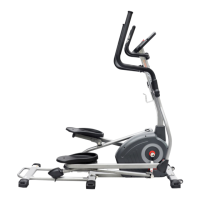

 To Next Page