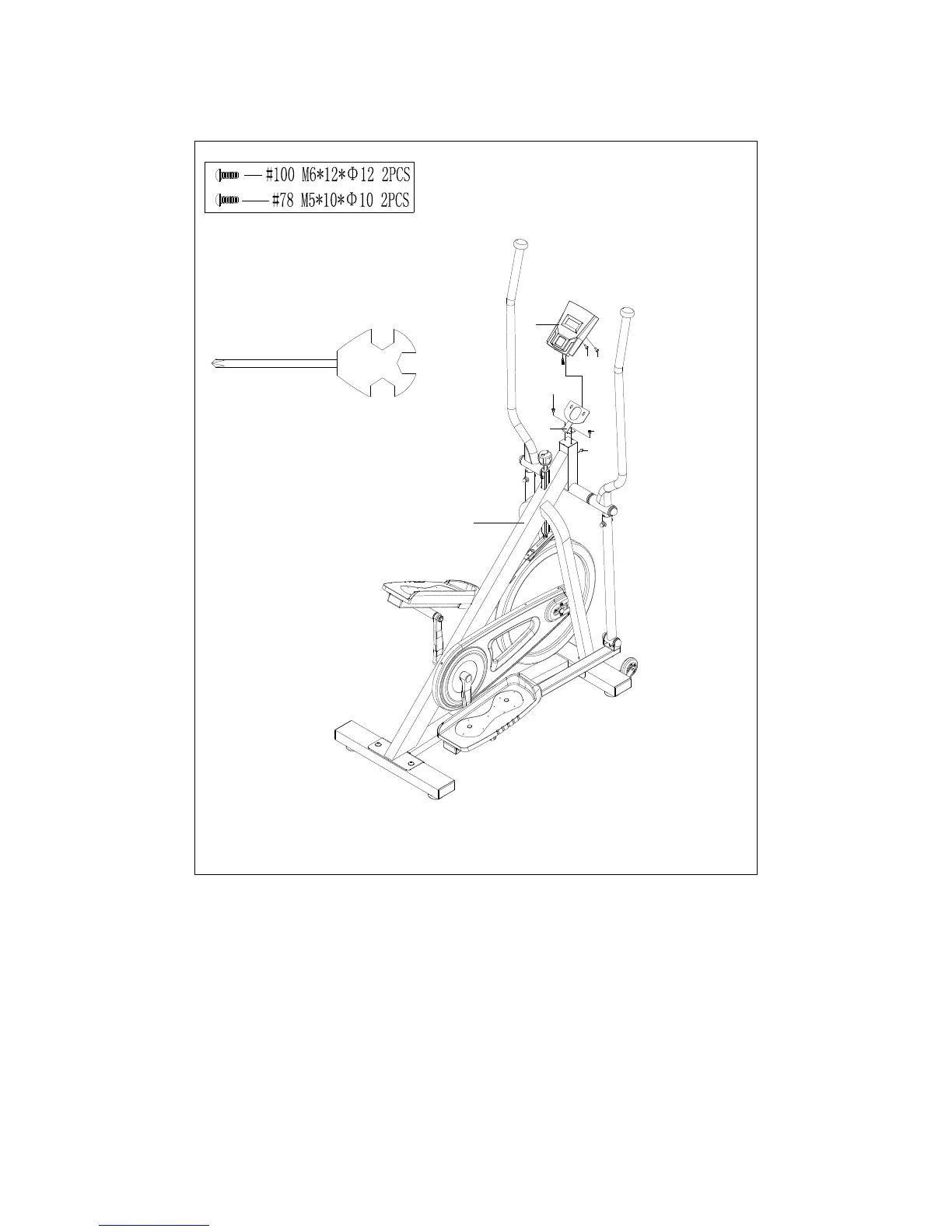
STEP: 6
Attach the Computer Holder (No. 102) to the Main Frame (No. 1) using 2 Screws (No.
100), secure with Spanner (No. 109).
Attach the Computer (No. 97) to the Computer Holder (No. 102) using 2 Screws (No.
78), secure with Spanner (No. 109). Once secured, connect the wire from the computer
with the Trunk Wire (No. 98).
The assembly is complete!















 To Next Page