14 • Questions? Call or Text +1-801-658-0015
Orion
™
mPulse User Manual
How to Make a Weld
If you’ve never used the Orion mPulse or other Orion pulse arc welder, you should practice rst on the provided
welding plate. After careful setup and familiarization of how the welder operates, follow these instructions using
the welding plate.
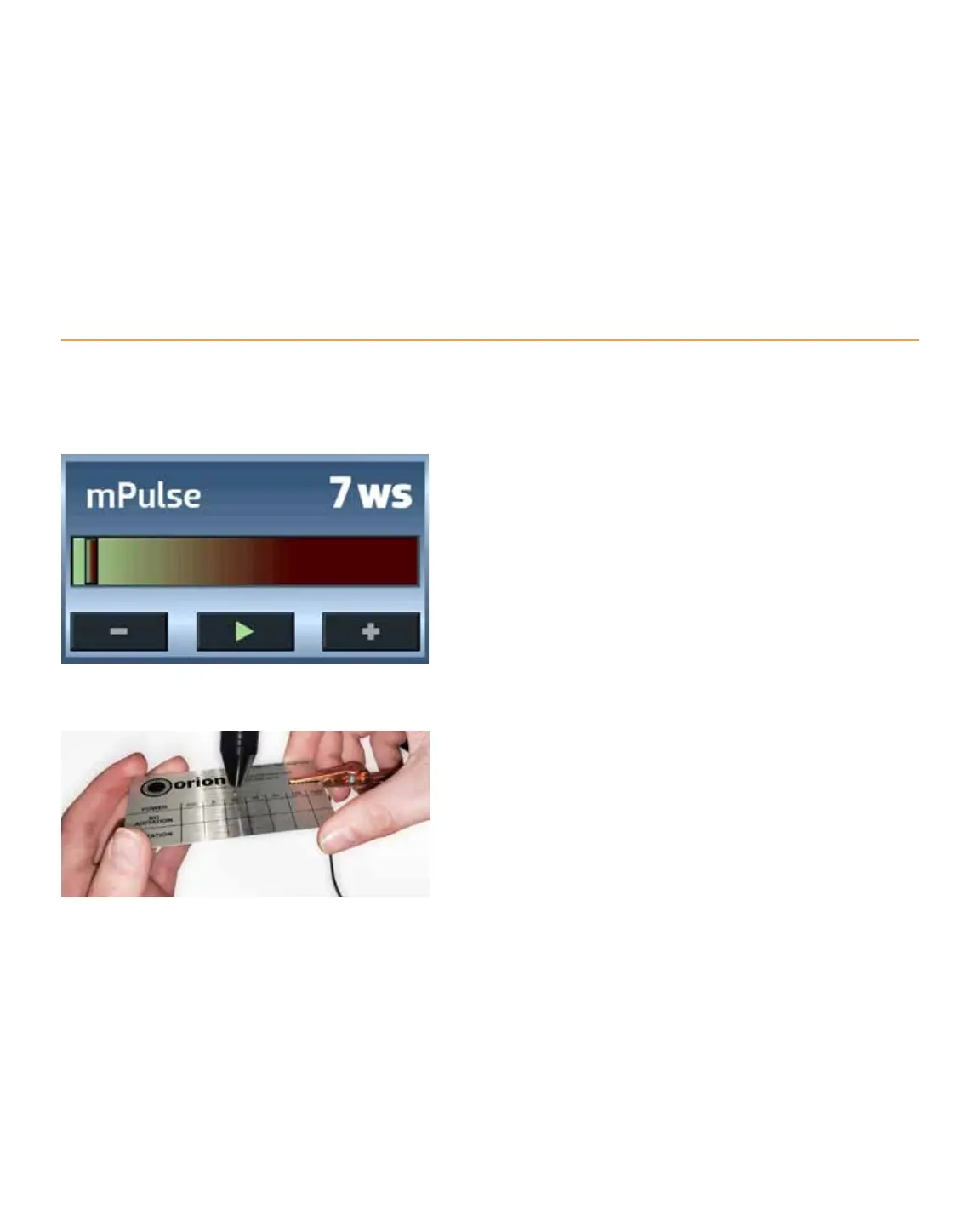
• On the touch screen select 7 Ws on the Energy
Bar. Use a nger to slide horizontally across
the Energy Bar until the Weld Energy Level is 7
Use the Plus or Minus buttons for more precise
selection. See Figure 14.1.
• Tap the Play button. The button changes to a
green triangle. See Figure 14.1. With the welder
in Play mode the welder will release energy, but
only when the electrode touches the welding
plate AND the alligator clip is attached to the
welding plate (or any workpiece). Don’t worry
about the alligator clip yet.
• Make sure your eyes are protected by properly
using the darkening lens or microscope. Never
operate the welder without eye protection.
• Attach the alligator clip to the welding plate.
• Rest your arms on the table or workbench,
holding the metal plate with both hands.
• Make sure you have a clear view of the metal
plate through the darkening lens or micro-
scope.
• On the metal plate you will see a number of
dierent boxes. For this exercise, lightly touch
the welding plate (or workpiece) to the elec-
Figure 14.1 Set the Weld Energy Level to 7 ws and then tap
the Pause button so the button displays a green triangle.
Figure 14.2 Attach the alligator clip to the welding plate. With
proper eye protection, hold the welding plate with both hands
and lightly touch the electrode to the welding plate. When the
electrode contacts the welding plate, the welder will release
energy and create a weld.















 To Next Page