Questions? Call or Text +1-801-658-0015 • 5
e Micro Welder Experts
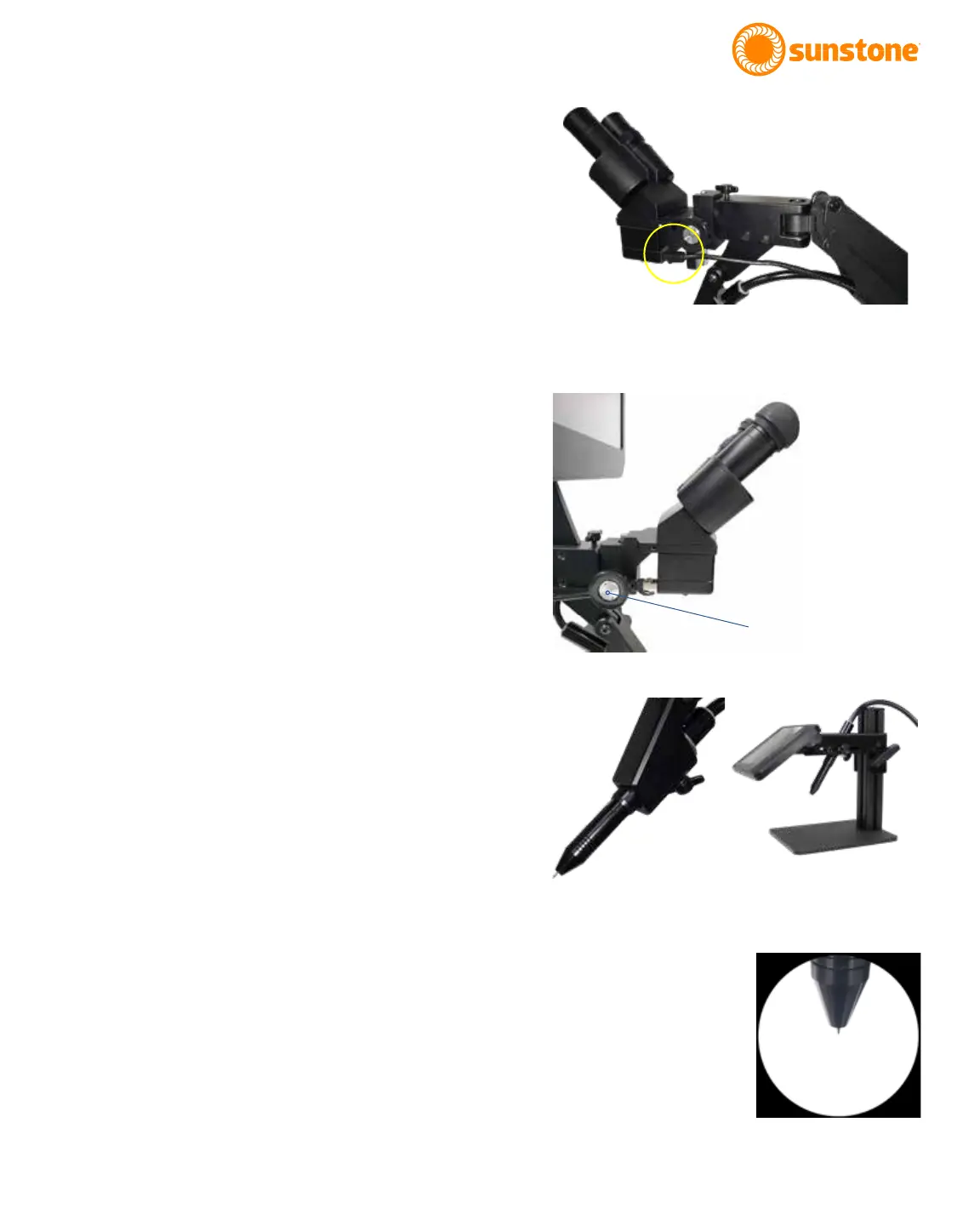
Figure 5.1 After installing the rubber eyepiece covers, use the
RJ45 Shutter Cable to connect the welder to the back and
bottom of the microscope head.
MICROSCOPE SETUP
• Install the rubber eyepiece covers onto the
microscope lenses.
• Plug the included Shutter Cable into the RJ45
port on the microscope (the bottom of the
microscope head). See Figure 5.1.
• Plug the other end of the Shutter Cable into the
shutter port on the back of the welder.
Note: Connecting other RJ45 compatible devices to
the Orion mPulse shutter RJ45 port may damage the
welder and/or the other devices.
How to Adjust Microscope Focus
• Twist the knob on the microscope forward and
backward to lower and raise the head. This
will allow you to focus the microscope on the
welding stylus. See Figure 5.2.
• Place your nger under the welding electrode
to help judge the correct focus location. Focus
the microscope until the texture on the skin of
your nger is clearly visible.
How to Place the Welding Stylus
• If using a microscope with the Orion mPulse,
insert the Welding Stylus into the holder at the
bottom of the Microscope Arm Assembly as
shown in Figure 5.3 (Left).
• If using the Lens Darkening System, insert the
Welding Stylus into the holder located behind
the screen. See Figure 5.3 (Right).
• The tubing can be routed up and through the
removable cable guide portion of the Micro-
scope Arm Assembly if desired. See Figure 4.5.
• For now, position the Welding Stylus such that
only the smaller diameter portion protrudes
from the holder, as shown in Figure 5.4. Then,
tighten the thumb screw on the bottom of the
stylus holder to hold it in place. See page 6 for
detailed electrode setup.
Figure 5.3. Styling mounting for microscope (Left) and for the
Darkening Lens System (Right).
Figure 5.2. Turn this knob
to adjust microscope
focus. You’ll nd one
knob on each side of the
microscope arm.
Figure 5.4. Only a small portion
of the electrode should extrude
from the holder.















 To Next Page