13
4) Data display box installation (Optional)
Function and operation introduction of data display box:
1) Display control of LCD screen or segment code screen
2) Communication between battery and PCS
3) Remote operation, parameter set, software update
4) Compatible with multi series of rack type of product
5) Optional based on requirement of customer and system
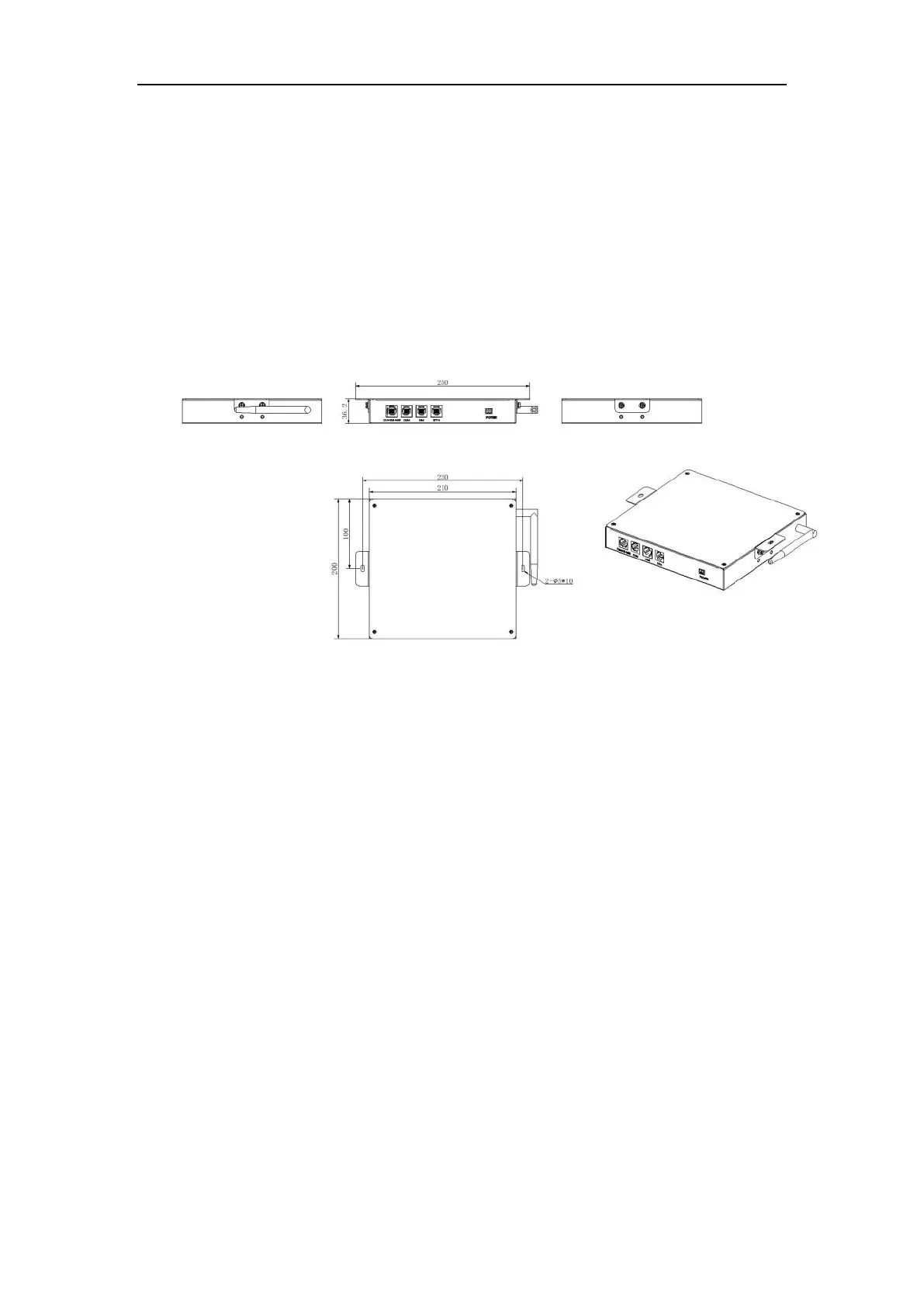
Dimension and appearance of data display box
Dimension: Width*Depth*Height=250*200*35 mm
Dimension of data display box
Installation step
Take the rain cover and data display box, and as shown in the picture, paste a fixed data display
box on the top battery pack (with glue on the bottom).
Note: Neglect this step if data display box not bought


 To Next Page