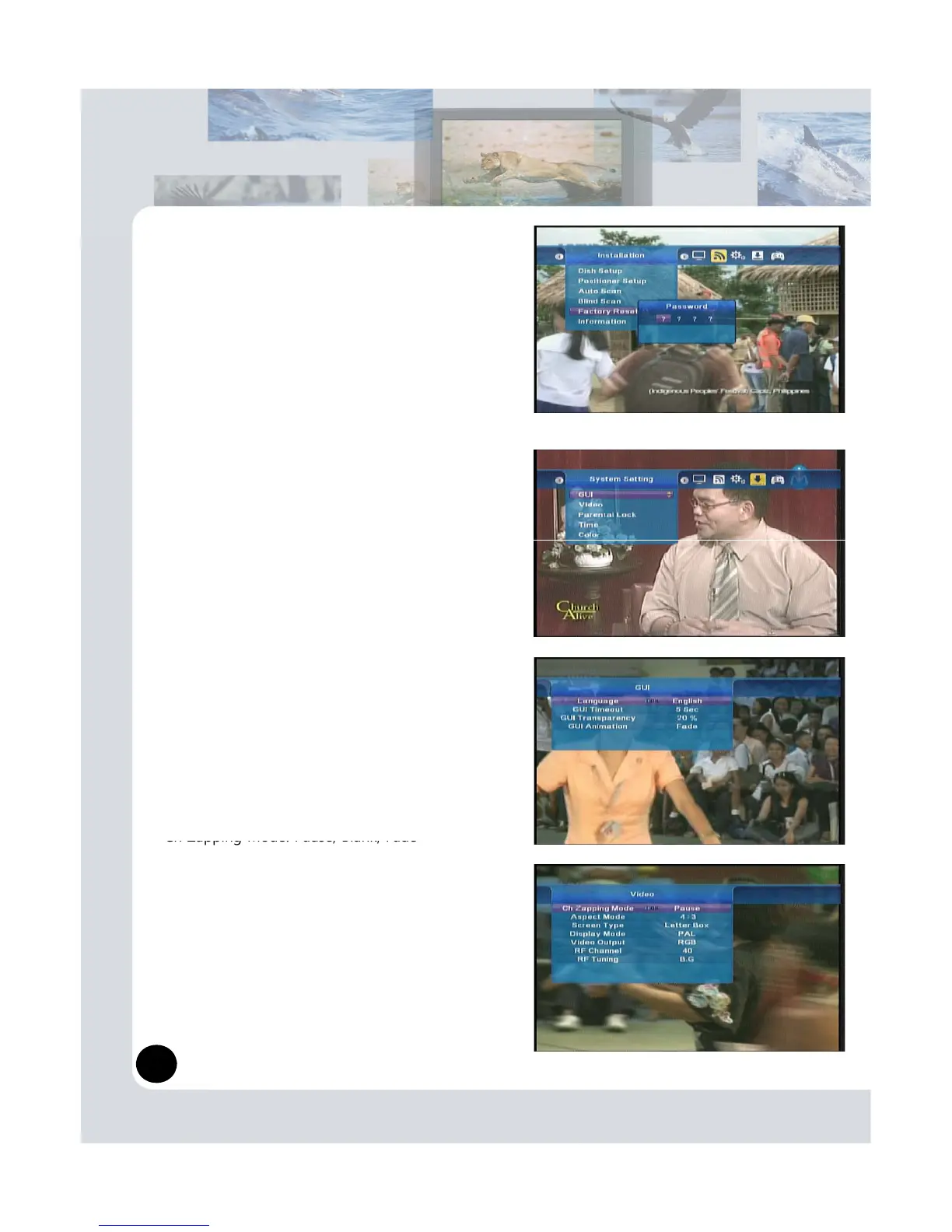
Restore the product to the factory default.
Warning
: Please note that once you perform Factory
reset, all data such as the antenna setting information,
channel list and user configured data will be deleted.
(6) Information
Display installed S/W information. You can check S/W
installed S/W version.
3.3 System Setting
In this chapter you can set options for System settings
Likes GUI languages, Video, Parental Lock, Time and
Color Setting options.
(1) GUI
- Language: English and various languages.
- GUI Timeout: You can select 1sec ~ 30sec
- GUI Transparency: You can se
ect 0% ~ 80%
- GUI Animation: None, Fade
(2) Video
-
Ch Zapping Mode: Pause, Blank, Fade
- Aspect Mode: 4:3, 16:9, Auto
- Screen Type: Letter Box, Center, Combined, Full
- Display Mode: PAL, NTSC, SECAM, PAL&NTSC
- Video Output: RGB, CVBS
- RF Channel: Insert channel number
- RF Tuning: M.N, B.G, I, D.K
7


 To Next Page