EasyManua.ls Logo

Supermicro SSE-X3348T - User Manual

Supermicro SSE-X3348T
74 pages
Print Icon
To Next Page IconTo Next Page
Loading...
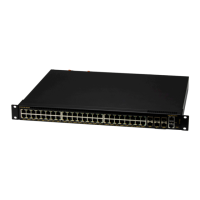
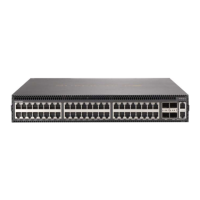
SSE-X3348T and SSE-X3348TR
48-Port 10G
Top-of-Rack Switches
Installation Manual
Revison 1.0

Table of Contents

Questions and Answers

  • R
    Ryan RoweAug 2, 2025
    What to do if Link/Act LED is off on Supermicro SSE-X3348T?
    • J
      Jessica LambAug 2, 2025
      If the Link/Act LED is off, verify that both the Supermicro switch and the attached device are powered on. Ensure the cable is securely plugged into both the switch and the corresponding device. Check that the correct cable type is being used and that its length does not exceed the specified limits. Inspect the attached device and cable connections for any potential defects, and replace the cable if necessary.
  • J
    Julie MayAug 6, 2025
    Why does Supermicro Switch power off after running for a while?
    • S
      Sabrina MossAug 6, 2025
      If your Supermicro switch powers off after running for a while, check for loose power connections, power losses, or surges at the power outlet. Also, the PSU may be defective.
  • G
    Gina BondAug 11, 2025
    What to do if PSU1/PSU2 LED is off on Supermicro Switch?
    • A
      Andrew JohnsonAug 11, 2025
      If the PSU1/PSU2 LED is off, check the connections between the PSU, the power cord, and the wall outlet. If the issue persists, contact your dealer for assistance.
  • M
    Mary NguyenAug 15, 2025
    What to do if PSU1/PSU2 LED is amber on Supermicro SSE-X3348T Switch?
    • M
      Melody ByrdAug 15, 2025
      If the PSU1/PSU2 LED is on amber, power cycle the PSU to try and clear the condition. If the issue continues, replace the PSU.
  • A
    Anna BrowningAug 19, 2025
    What to do if Diag LED is amber on Supermicro Switch?
    • A
      andrewcowanAug 19, 2025
      If the Diag LED is on amber, power cycle the Supermicro switch to try and clear the condition. If the problem persists, contact your dealer for assistance.
  • M
    Martin HoganAug 25, 2025
    What to do if Fan LED is amber on Supermicro SSE-X3348T?
    • P
      pottsjasonAug 25, 2025
      If the Fan LED is on amber, check the fans in the fan tray. Replace the fans as soon as possible.
  • B
    Bridget GreenAug 28, 2025
    What to do if the power indicator does not turn on when the power cord is plugged in Supermicro SSE-X3348T Switch?
    • V
      Victoria HollandAug 28, 2025
      If the power indicator does not turn on when the power cord is plugged in, you may have a problem with the power outlet, power cord, or PSU.

Summary

Chapter 1 Introduction

1-1 Overview

Provides a general overview of the SSE-X3348T/SSE-X3348TR switch and its capabilities.

1-2 Key Hardware Components

Identifies and describes the main hardware components of the switch.

Chapter 2 Standardized Warning Statements

2-1 About Standardized Warning Statements

Explains the purpose of industry standard warnings and how to interpret them.

Chapter 3 Network Planning

3-1 Data Center Deployment

Discusses deploying the switch in data center environments for network connectivity.

3-2 Rack Cooling

Covers the importance of airflow and cooling requirements for rack-mounted switches.

Chapter 4 Installing the Switch

4-1 Package Contents

Details the items included with the switch for installation.

4-2 Switch Chassis

Covers guidelines and procedures for mounting the switch in a rack.

4-4 Power and Grounding

Explains how to install power supply modules and properly ground the switch chassis.

Chapter 5 Making Network Connections

5-1 Cable Labeling and Connection Records

Emphasizes the importance of labeling cables and maintaining connection records for network management.

5-2 Understanding the Port Status LEDs

Explains the meaning of port status LEDs for link and activity indications.

5-3 How to Install a QSFP+ Transceiver

Provides instructions for installing optional QSFP+ transceivers into the switch.

5-4 How to Connect to Twisted-Pair Copper Ports

Details how to connect to the switch's RJ-45 ports using twisted-pair copper cables.

5-5 How to Connect to QSFP+ Fiber Optic Ports

Guides users on connecting to the switch's QSFP+ ports using fiber optic cables.

5-6 DAC Connections

Explains how to make Direct Attach Cable (DAC) connections for high-speed networking.

Chapter 6 Hardware Specifications

6-1 Physical Characteristics

Lists the physical dimensions, weight, and environmental specifications of the switch.

6-2 Switch Features

Outlines the key features of the switch, including forwarding mode and flow control.

6-3 Management Features

Describes the management capabilities of the switch, such as in-band and out-of-band access.

6-4 Standards

Lists the applicable industry standards the switch complies with.

6-5 Compliances

Details the emissions, immunity, and safety compliances of the switch.

Chapter 7 Switch Management

7-1 Understanding the System Status LEDs

Explains the system status LEDs on the front panel for monitoring the switch's operational state.

7-2 How to Connect to the Console Port

Provides instructions for connecting to the switch's console port for out-of-band management.

7-3 How to Reset the Switch

Describes the procedure for resetting the switch to its factory default configuration.

Chapter 8 Troubleshooting

8-1 Diagnosing LED Indicators

Offers a chart to diagnose issues based on system LED indicator status.

8-2 System Self-Diagnostic Test Failure

Guides users on how to handle and interpret system self-diagnostic test failures.

8-3 Power and Cooling Problems

Helps troubleshoot issues related to power supply and cooling systems of the switch.

8-4 Installation

Provides guidance on verifying the proper installation of all system components.

8-5 In-Band Access

Explains how to access the switch management agent via network connections.

Supermicro SSE-X3348T Specifications

General IconGeneral
BrandSupermicro
ModelSSE-X3348T
CategorySwitch
LanguageEnglish

Related product manuals