EasyManua.ls Logo

Supermicro SuperServer E302-9A - Chapter 5 Software; Microsoft Windows os Installation

Supermicro SuperServer E302-9A
116 pages
Print Icon
To Next Page IconTo Next Page
To Previous Page IconTo Previous Page
Loading...
SuperServer E302-9A User's Manual
46
Chapter 5
Software

RAID settings, and install the drivers.
5.1 Microsoft Windows OS Installation


at www.supermicro.com/support/manuals.
Installing the OS
1. 

console.
2. Retrieve the proper RST/RSTe driver. Go to the Supermicro web page for your
motherboard and click on "Download the Latest Drivers and Utilities", select the proper
driver,
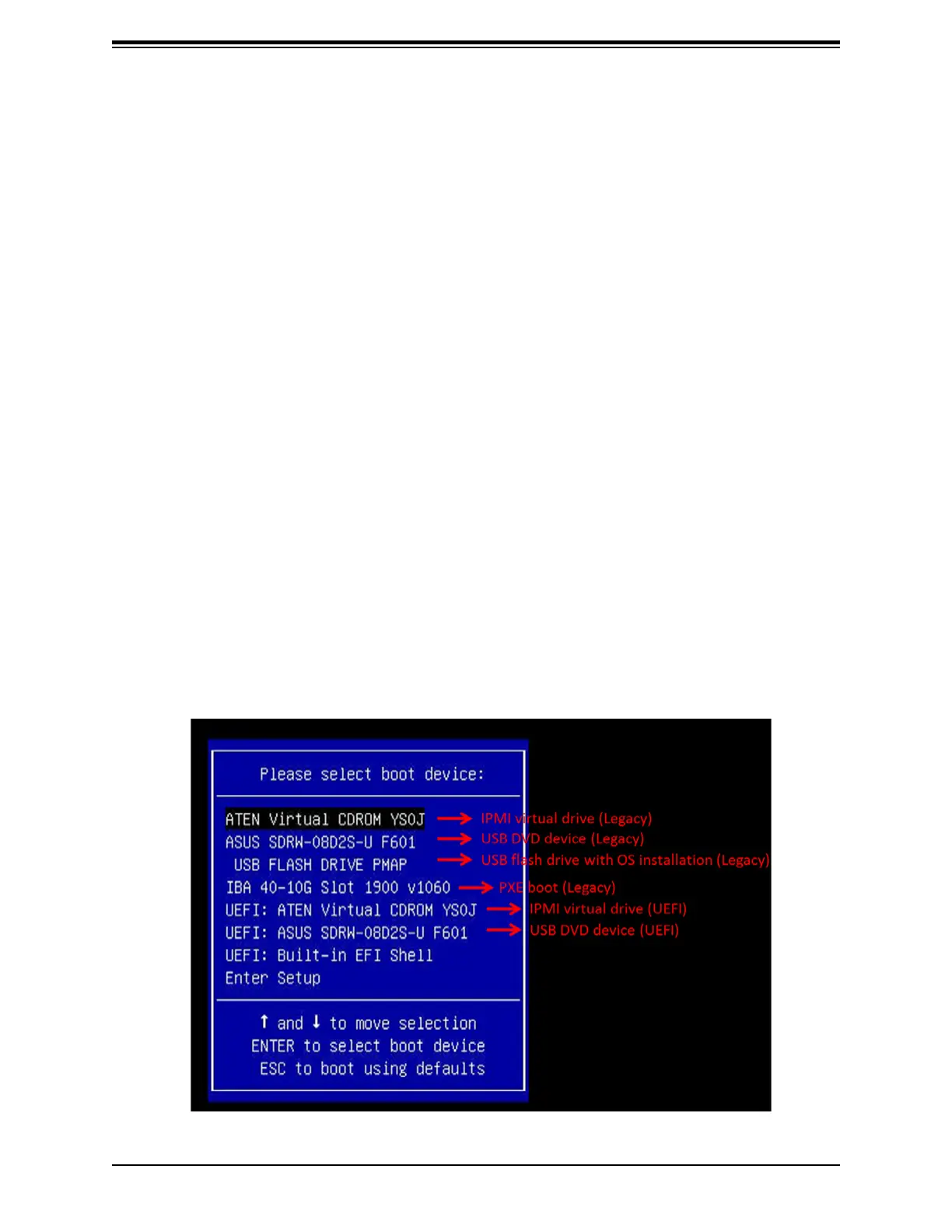
3. Boot from a bootable device with Windows OS installation. You can see a bootable
device list by pressing F11 during the system startup.
Figure 5-1. Select Boot Device