32
Chapter 3: Maintenance and Component Installation
3.2 Accessing the System
The CSE-418GT2S features a removable top cover, which allows easy access to the inside
of the chassis.
Removing the Top Cover
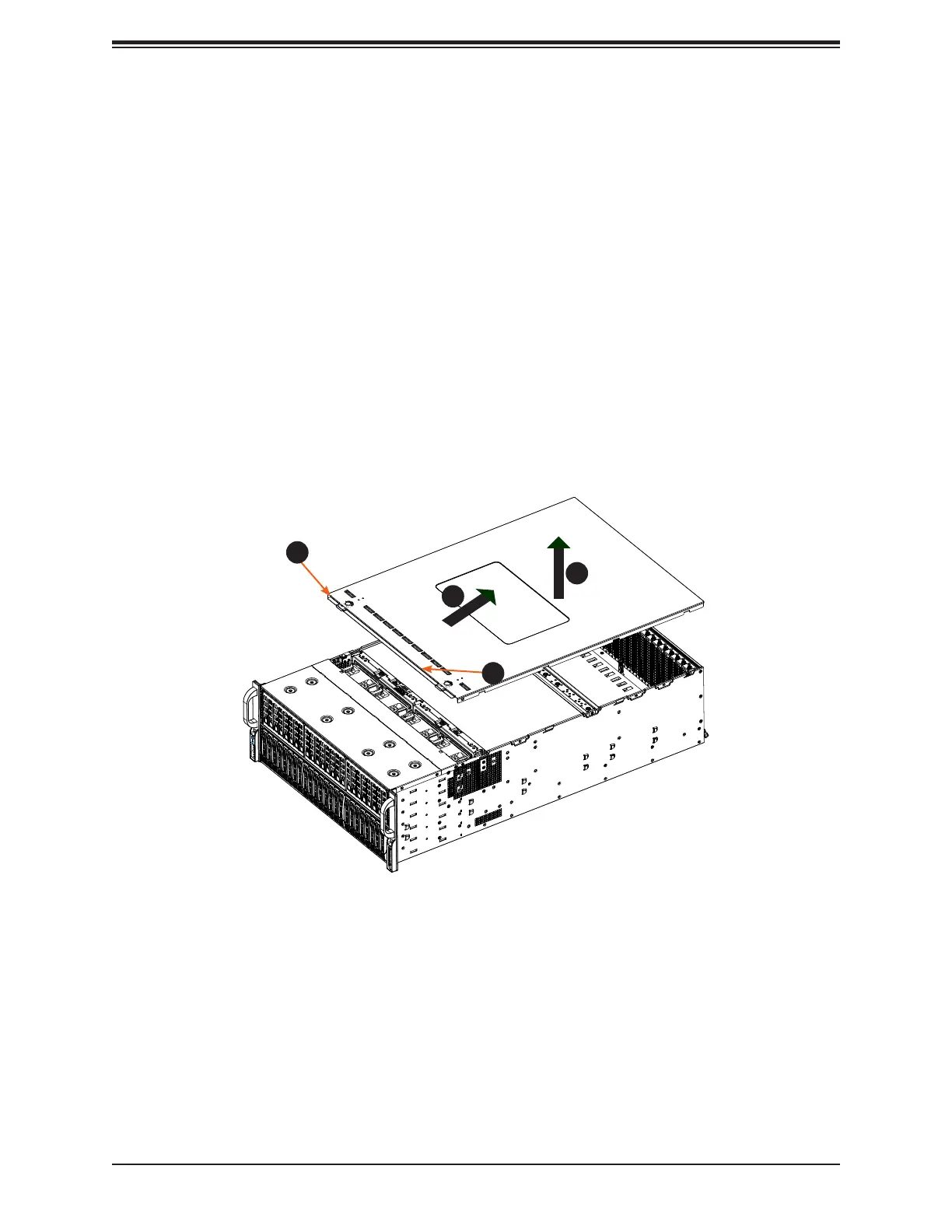
1. Begin by removing power from the system as described in Section 3.1.
2. Remove the screws securing the cover to the chassis.
3. Slide the cover toward the rear of the chassis. See Figure 3-1.
4. Lift the cover from the chassis.
Caution: Except for short periods of time, do not operate the server without the cover in place.
Figure 3-1. Accessing the Inside of the System
1
3
2
1




 To Next Page