91
Chapter 6: Optional Components
Hot Swap Drives
Intel VMD enables hot-plug and hot-unplug for NVMe SSDs, whether from Intel or other
manufacturers. Under vSphere ESXi, several steps are necessary to avoid potential stability
issues. See the information at link [1] below.
Hot-unplug
1. Prevent devices from being re-detected during rescan:
esxcli storage core claiming autoclaim --enabled=false
2. Unmount the VMFS volumes on the device. Check [2] for details.
3. Detach the device. Check [3] for details.
4. Physically remove the device.
Hot-plug
• Physically install the device.
ESXi will automatically discover NVMe SSDs, but a manual scan may be required in some
cases.
Related Information Links
[1] https://kb.vmware.com/s/article/2151404
[2] https://docs.vmware.com/en/VMware-vSphere/6.5/com.vmware.vsphere.storage.doc/
GUID-1B56EF97-F60E-4F21-82A7-8F2A7294604D.html
[3] https://docs.vmware.com/en/VMware-vSphere/6.5/com.vmware.vsphere.storage.doc/
GUID-F2E75F67-740B-4406-9F0C-A2D99A698F2A.html
Status Indications
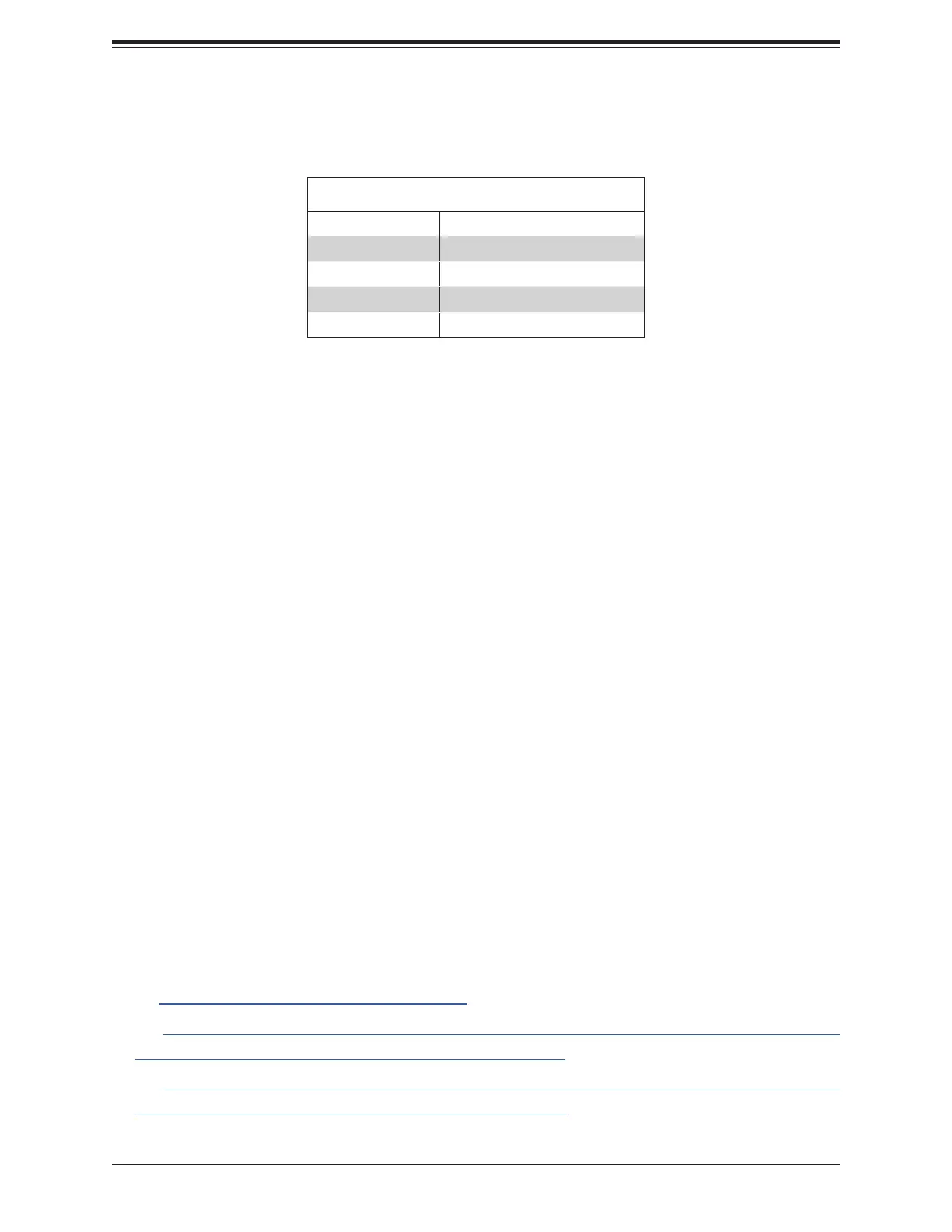
An LED indicator on the drive carrier shows the RAID status of the drive.
Drive Carrier Status LED Indicator
Status State (red)
Normal function
Locating 4 Hz blink
Fault Solid on
Rebuilding 1 Hz Blink




 To Next Page