49
Chapter 3: Maintenance and Component Installation
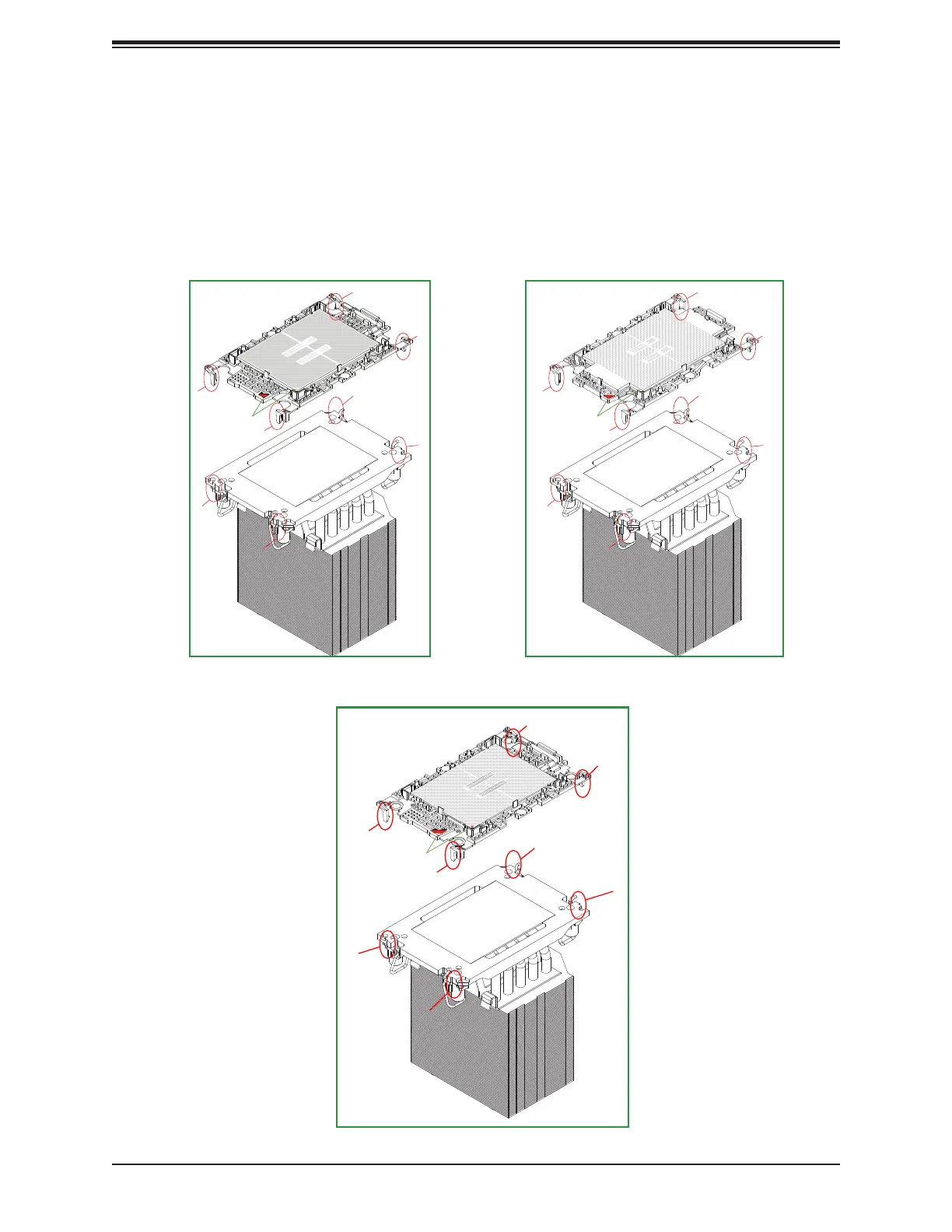
Removing the Processor Carrier Assembly from the PHM
To remove the processor carrier assembly from the PHM, please follow the steps below:
1. Detach the four plastic clips (marked a, b, c, d) on the processor carrier assembly from
the four corners of the heatsink (marked A, B, C, D) as shown in the drawings below.
a
A
C
D
B
Pin 1
a
A
C
D
B
Pin 1
SP XCC HBM
Pin 1
a
c
d
A
C
B
SP MCC
4U Heatsink (View of Component Side and Heatsink Bottom Side)




 To Next Page