10Chapter 2
Updating
To obtain an update code from SupraWEB:
1. Go to www.supraekey.com and click Agents-Log on to SupraWEB.
2. Enter your user ID and password and click Submit.
3. Select the Update Code link under Quick Links. The update code displays.
To obtain an update code from KIMvoice:
1. Call KIM at 1-888-968-4032.
2. When prompted, enter your eKEY serial number and PIN code into the phone, followed by the #
sign.
3. Press 1 on the phone for an update code.
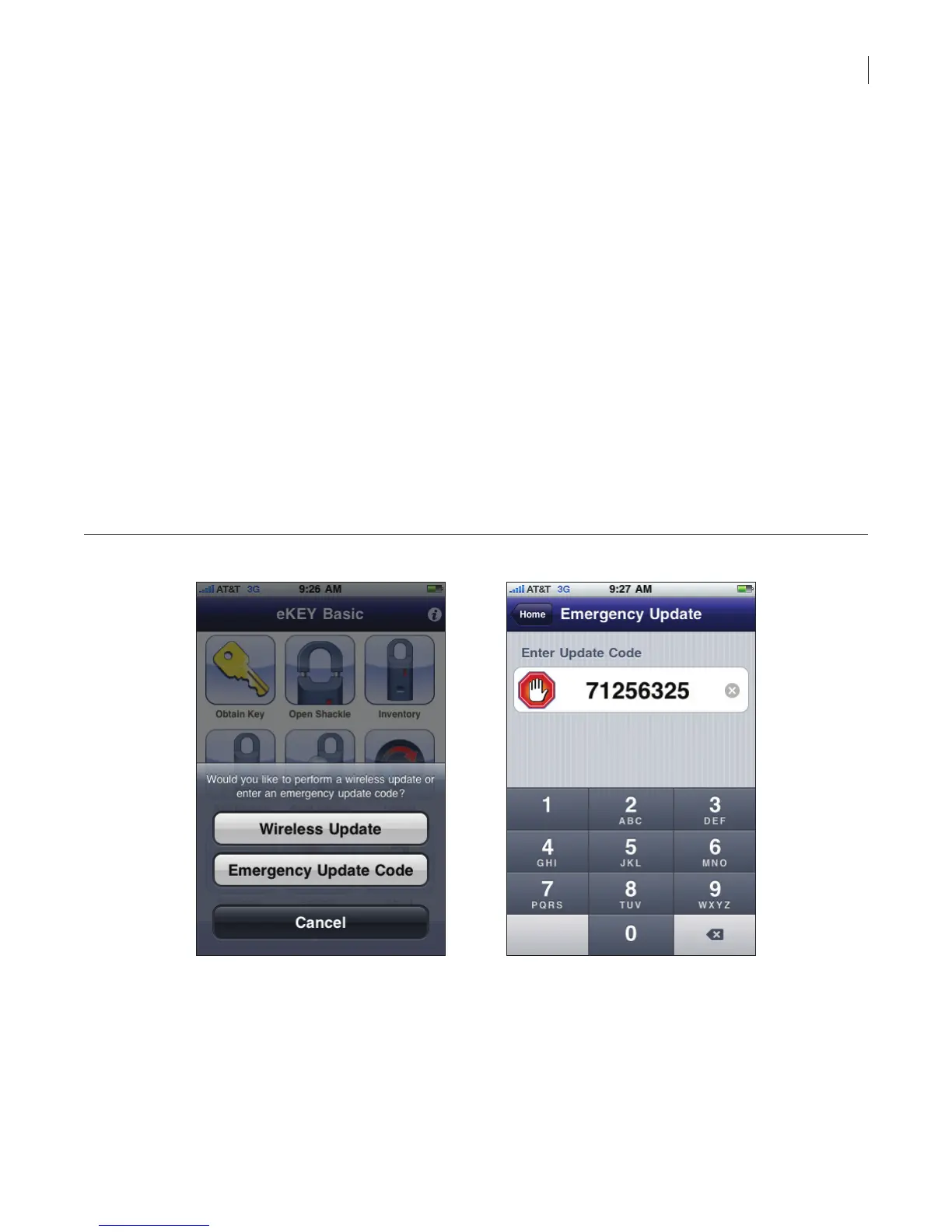
To enter the update code into the eKEY software:
1. Select the eKEY icon to open the eKEY application.
2. Select Update.
3. Select Emergency Update Code.
4. Enter the update code.
Figure 7. Enter Update Code
The number of consecutive update codes you can get is limited. Once you reach your update code
limit, your eKEY software must do a wireless update before you can obtain any additional update
codes.



 To Next Page