11 Sensor display (optional)
11.1 Starting process
After powered up, the display starts automatically with an initialisation
procedure. During the next eight seconds the display will show the
current software version and build the connection to the sensor. Now the
display goes to the standard mode, showing the online values.
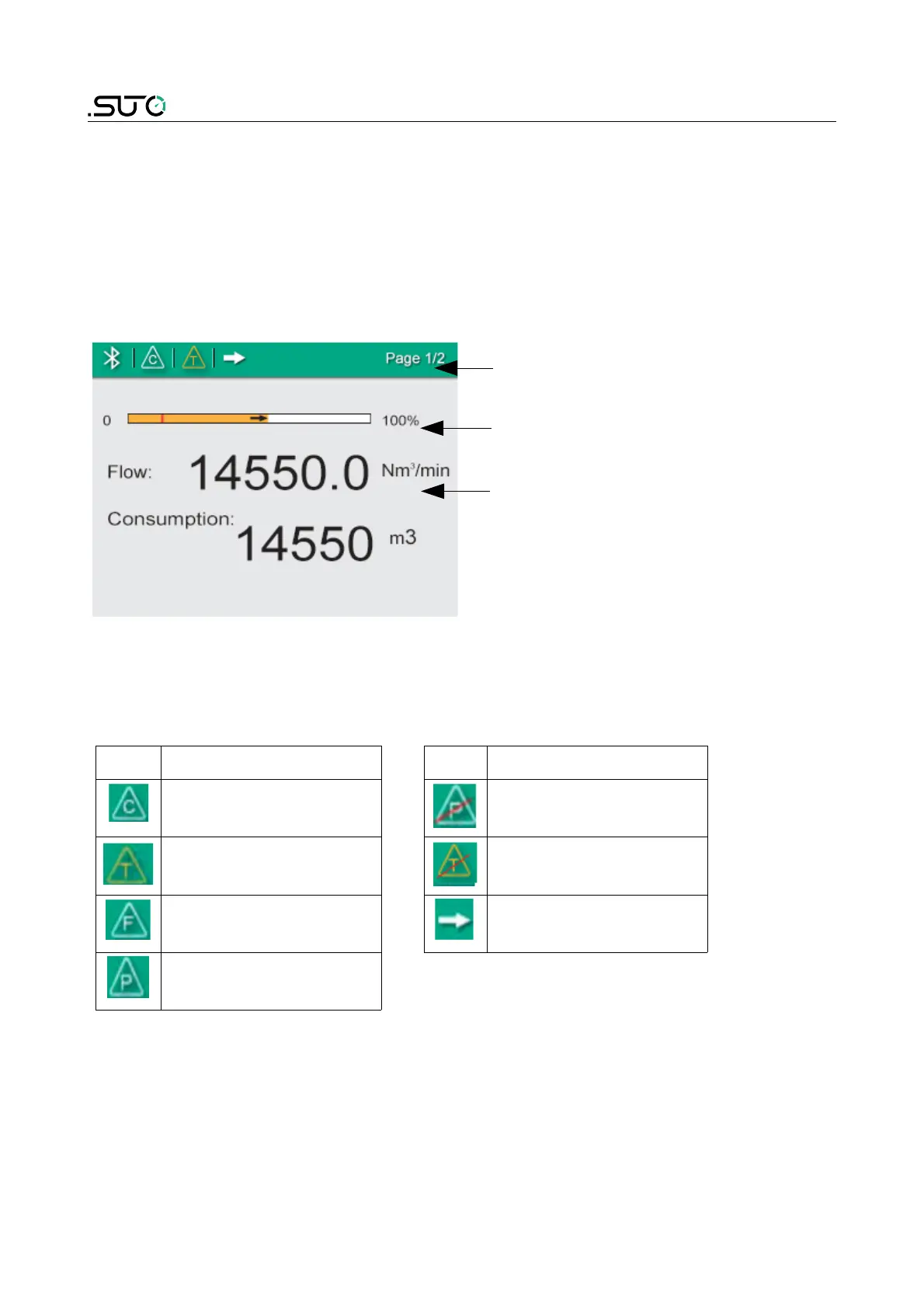
Home page
• Status bar
• Moving bar to indicate flow
value
• Measuring values
Icons shown in the status bar
Indicate status or warnings for the sensor in service. The following table
provides their descriptions.
Icon Description Icon Description
Calibration expired Pressure sensor
damaged
Temperature over
operating range
Temperature sensor
damaged
Flows over
measuring range
Flow direction
Pressure over
operating range


 To Next Page