11 Sensor display (optional)
11.2 Configuration using the display
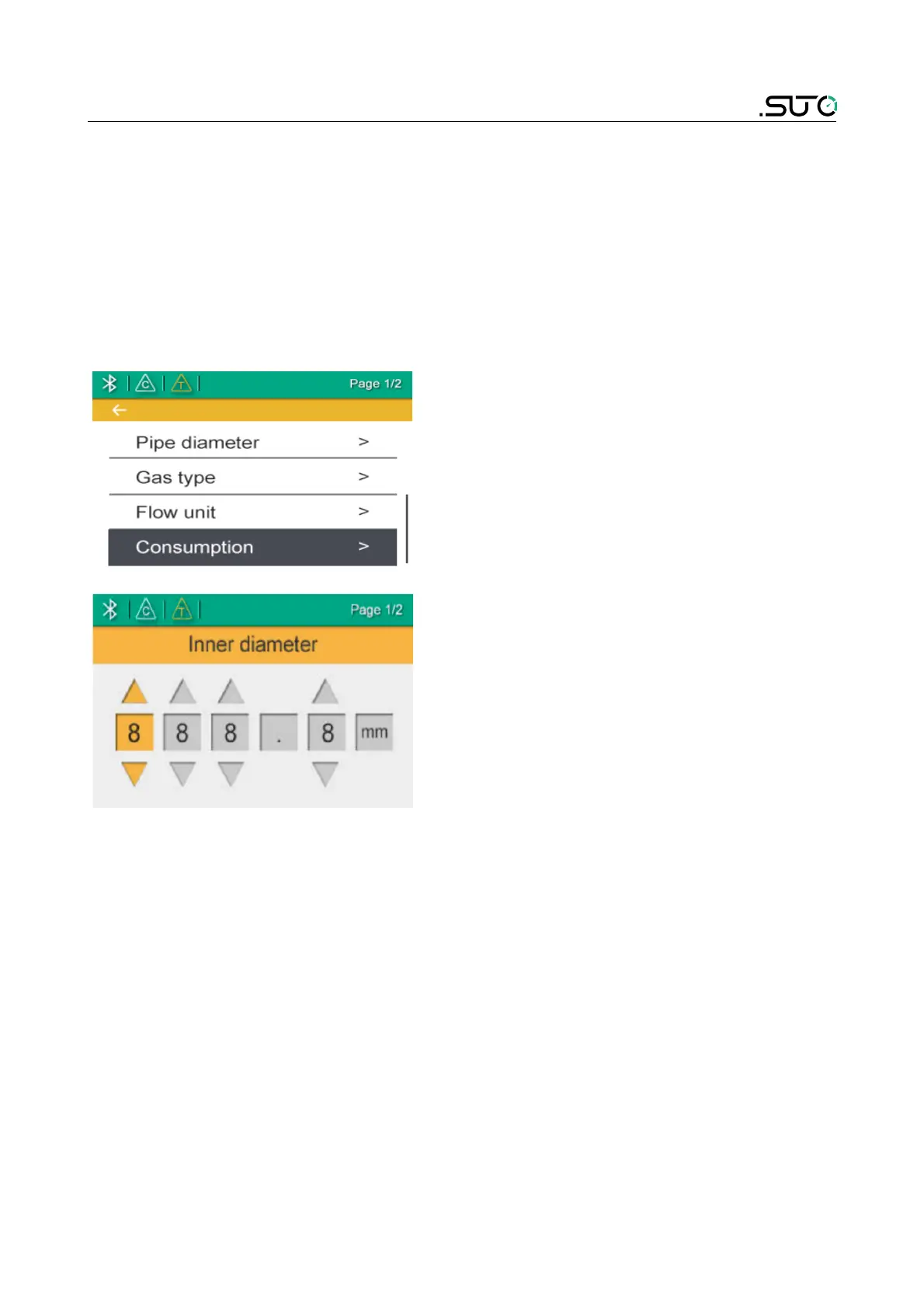
The following settings can be changed via display or service software.
• Pipe diameter – for flow calculation.
• Gas type – select the gas to be measured.
• Flow unit – select unit for flow value.
Steps for checking and changing settings are described as follows:
1. Press the “Enter” key (>3s).
2. Enter the unlock code: 12.
3. Use the “Up” and “Down” keys to
choose a setting that needs to be
changed.
4. Use he “Up” and “Down” keys to
select desired entry boxes or
adjust the values.
5. Press the “Enter” key to confirm
the changes.


 To Next Page