Sutron Corporation X-Link Operations & Maintenance Manual, Rev 1.63 5/24/2016 pg. 16
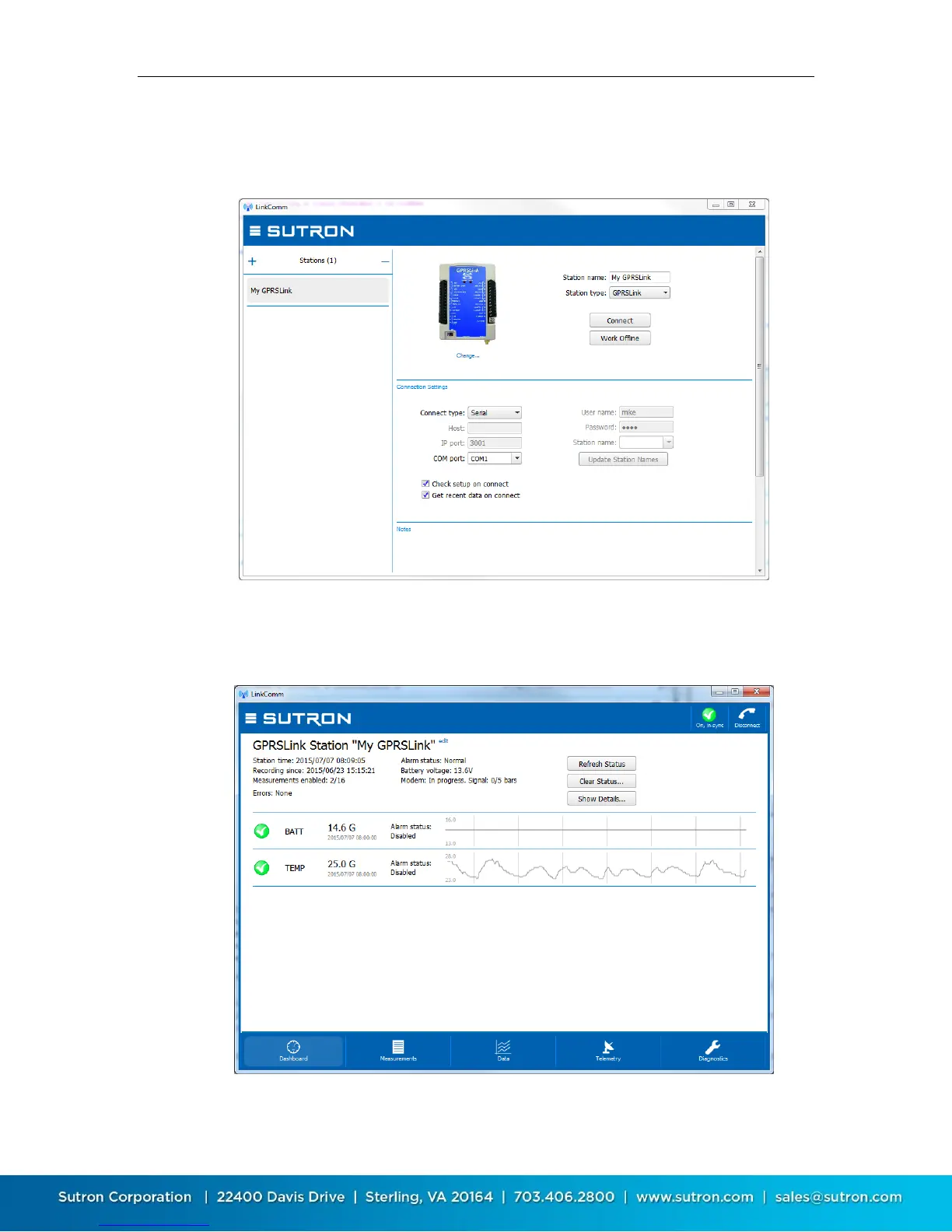
a. In the window that comes up, press “+” to create a new station. Set
“Station type” to match your type of X-Link, set “Connect type” to
“Serial”, and set “COM port” to the port assigned to X-Link
b. Press the “Connect” button to connect to X-Link. LinkComm will connect
to X-Link and download the setup and recent data (if those options are
selected in the station setup, above)


 To Next Page