Sutron Corporation X-Link Operations & Maintenance Manual, Rev 1.63 5/24/2016 pg. 41
4.8. Diagnostics Tab
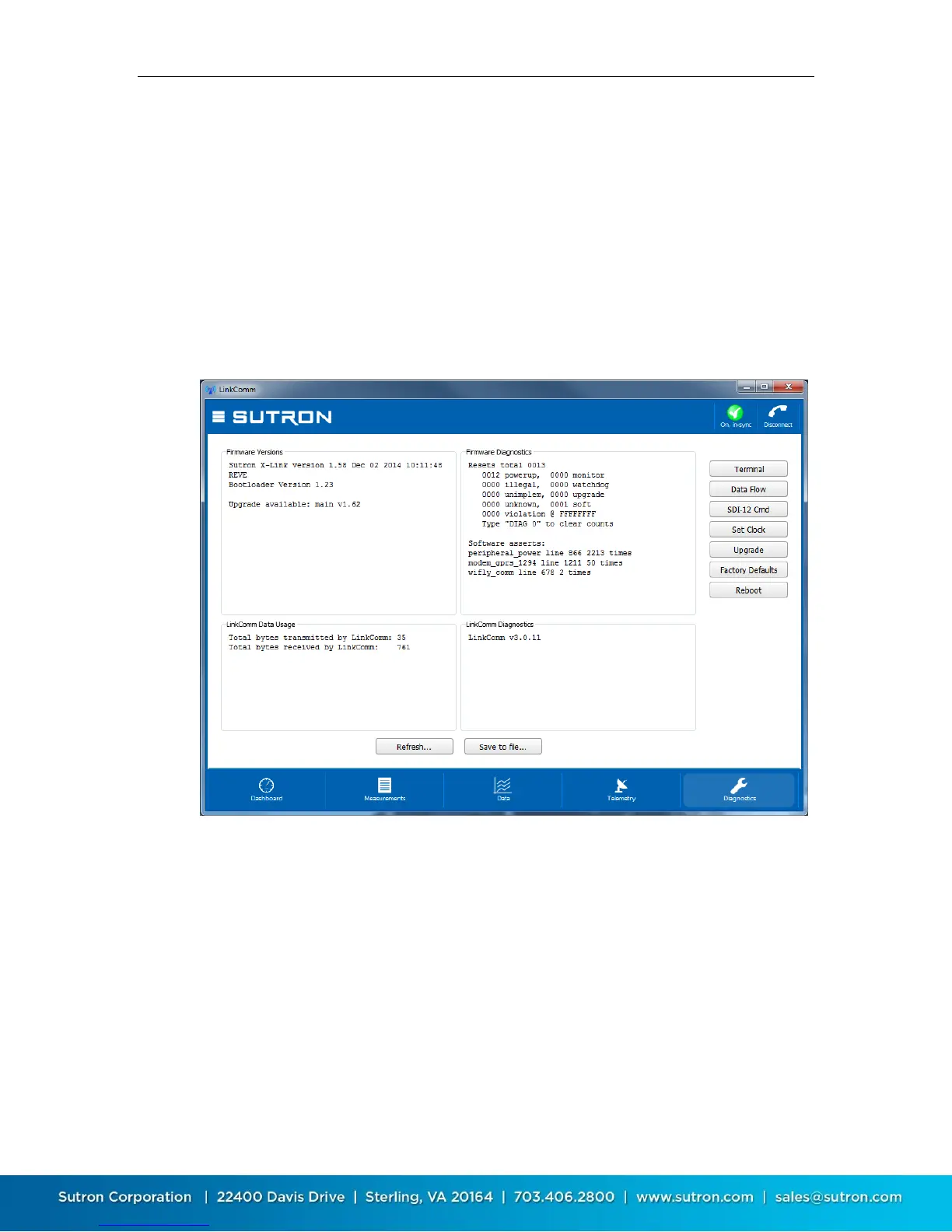
This tab provides extensive diagnostics information, and offers tools for
performing various diagnostics and maintenance operations. For example:
Get diagnostics information including software versions and data usage
Terminal and Data Flow views
SDI-12 command utility
Set the clock in X-Link
Upgrade X-Link
Resetting X-Link to factory defaults
4.8.1. Firmware Versions and Diagnostics
The top two text areas on the Diagnostics tab display information about the
firmware installed in the connected X-Link.
The Firmware Versions section displays the current versions of firmware
installed in X-Link. If LinkComm detects a newer version of firmware is available,
this text area contains a message saying such. The Firmware Diagnostics area
displays recent diagnostics information reported by X-Link.
Press the Refresh… button to update this data to the latest. Press the Save to
file… button to save all diagnostic text data to an external file.


 To Next Page