Sutron Corporation X-Link Operations & Maintenance Manual, Rev 1.63 5/24/2016 pg. 34
4.4. Measurements Tab
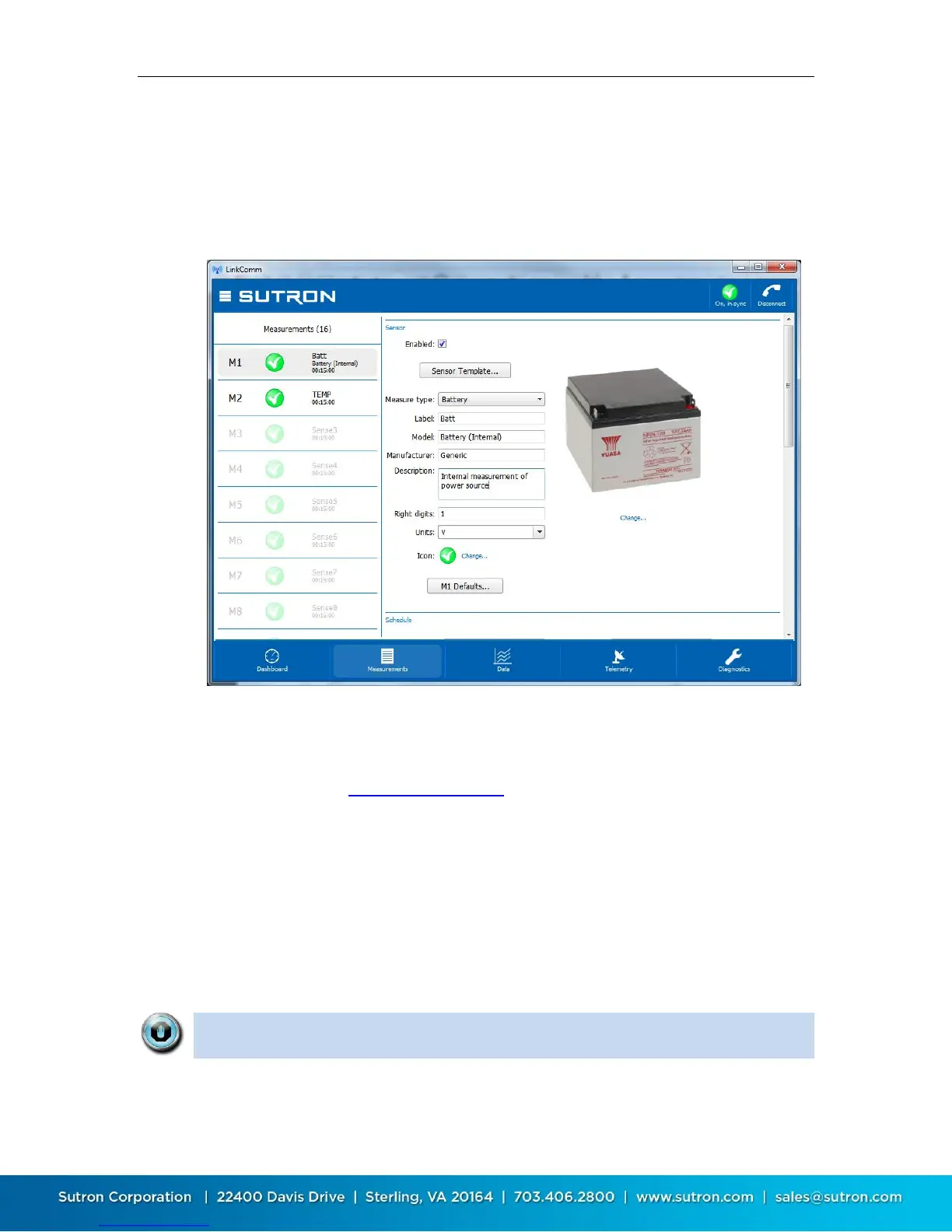
The measurements tab is the first tab displayed when you select Work Offline in
the stations list view. This is the tab where all sensors are configured. Up to 16
sensors may be enabled and configured. The measurements tab also provides
some test functions to help you ensure the sensor is properly configured.
The left side of the measurements tab shows a list of all possible measurements.
The right side of the measurements tab shows the details of the selected
measurement. Only the high level details of using the measurements tab is
discussed here. See Measurement Setup for details on configuring measurement
settings.
4.4.1. Using Sensor Templates
LinkComm provides templates for many sensors often used with X-Link. The
templates configure default settings for the most important sensor parameters,
and also includes sensor metadata, e.g., a picture of the sensor, its wiring
diagram, manufacturer, model, description, and units.
Note: Sensor metadata (picture, wiring diagram, etc.), is NOT stored in the X-
Link logger, but only in the station definition in LinkComm.


 To Next Page