Sutron Corporation X-Link Operations & Maintenance Manual, Rev 1.63 5/24/2016 pg. 2
TABLE OF CONTENTS
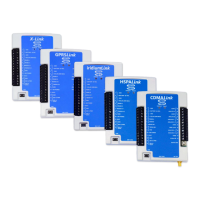
Includes GPRSLink, IRIDIUMLink, HSPALink and CDMALink ............................................ 1
1. Introduction ............................................................................................................... 5
1.1. Models .................................................................................................................. 6
1.2. Applications ......................................................................................................... 6
1.3. Connections .......................................................................................................... 7
1.4. Earth Ground Point............................................................................................... 8
1.5. Input Protection .................................................................................................... 8
1.6. Terminal Strips ..................................................................................................... 8
1.7. Power Connections ............................................................................................. 11
1.8. Wakeup Button ................................................................................................... 14
2. Getting Started ........................................................................................................ 15
3. Measurements ......................................................................................................... 18
3.1. Sensors ............................................................................................................... 18
3.2. Inputs Available ................................................................................................. 18
4. LinkComm ............................................................................................................... 20
4.1. Stations List View – Getting Connected ............................................................ 20
4.2. Station View – Connected or Working Offline .................................................. 26
4.3. Dashboard Tab ................................................................................................... 32
4.4. Measurements Tab ............................................................................................. 34
4.5. Data Tab ............................................................................................................. 37
4.6. Telemetry Tab .................................................................................................... 38
4.7. Other Setup ......................................................................................................... 40
4.8. Diagnostics Tab .................................................................................................. 41
4.9. LinkComm for Phones and Tablets .................................................................... 46
5. Telemetry ................................................................................................................. 48
5.2. Retransmissions .................................................................................................. 50
5.3. Cell Phone Telemetry ......................................................................................... 51
5.4. Iridium Telemetry .............................................................................................. 56
5.5. Sending Messages to X-Link ............................................................................. 57
5.6. Telemetry Status ................................................................................................. 59
5.7. Message Check ................................................................................................... 61
5.8. Optimizing Data Usage ...................................................................................... 62
5.9. Transmissions and Measurements Coinciding ................................................... 63
6. Alarms ...................................................................................................................... 64
7. Setup ......................................................................................................................... 68
7.1. Measurement Setup ............................................................................................ 68
7.2. Telemetry Setup ................................................................................................. 92
7.3. Other Setup ......................................................................................................... 98
8. Measurement Setup Examples............................................................................. 100
8.1. RM Young Wind Speed and Direction ............................................................ 100
8.2. Thermistor ........................................................................................................ 101
8.3. Pressure Transducer (Analog Bridge Sensor) .................................................. 102
8.4. Thermocouple Sensor ....................................................................................... 104
8.5. Tipping Bucket ................................................................................................. 105


 To Next Page