Sutron Corporation X-Link Operations & Maintenance Manual, Rev 1.63 5/24/2016 pg. 40
4.7. Other Setup
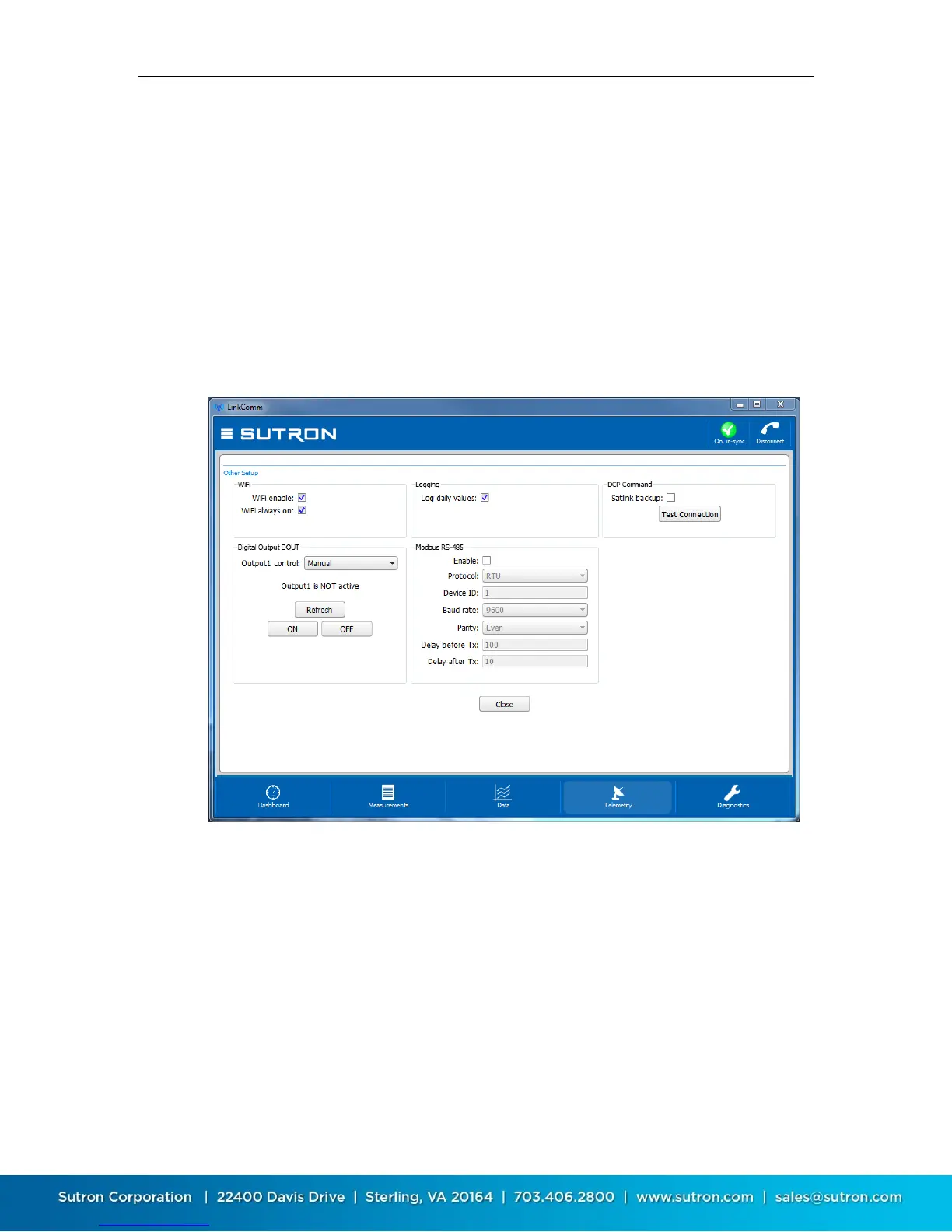
Various settings are displayed in the Other Setup dialog, which is accessed from
the Telemetry tab by pressing the Other Setup button. The settings shown
include those for:
Wi-Fi
Log daily values
DCP Command
Digital Output DOUT
Modbus RS-485
The controls in the Digital Output DOUT section can be used to view the status
of the digital output, and to control its state. Press the Refresh button to display
the current state of DOUT. The current state is displayed just above the button.
Press the ON button to turn DOUT on. Press the OFF button to turn DOUT off.
The Test Connection button is used to confirm communication between X-Link
and a Satlink, when X-Link is being used in a DCP Command configuration.
Close the Other Setup dialog by pressing the Close button.


 To Next Page