Sutron Corporation X-Link Operations & Maintenance Manual, Rev 1.63 5/24/2016 pg. 32
4.3. Dashboard Tab
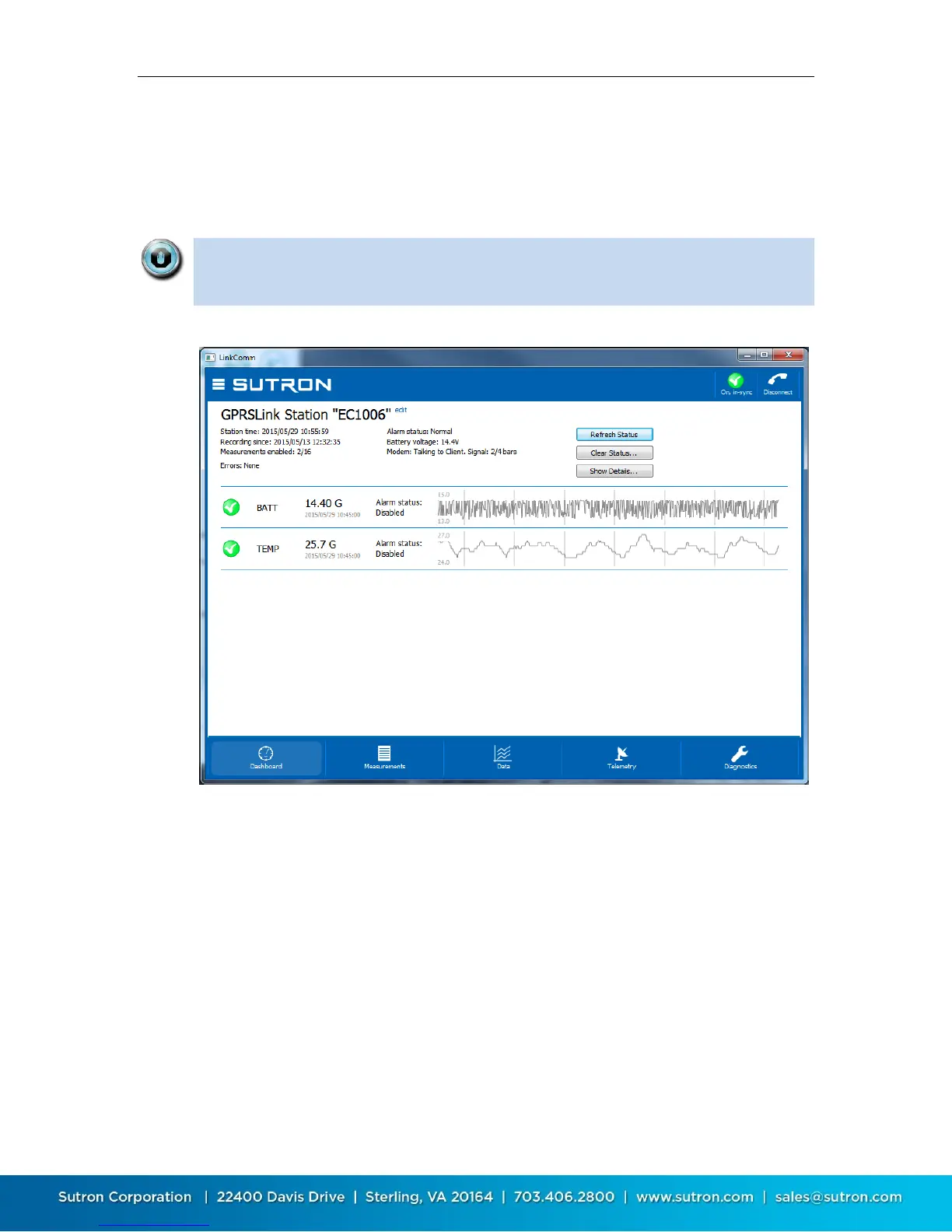
The Dashboard tab is the first tab displayed after you connect to X-Link. When
LinkComm connects to X-Link, it always retrieves the current station status, and
current data values for measurements, and displays this data on the Dashboard.
The data displayed on the Dashboard always reflects the state of X-Link the last
time you refreshed status, regardless of the measurements you may or may
not have defined under Measurements.
To refresh the current status, click the Refresh Status button
To reset the station status, including the transmission counters, tallies and
system errors, click the Clear Status button. Once the status is reset, the
previous status is lost
To show the status text actually received from the logger, press the Show
Details button
4.3.1. Station Status
The upper left of the Dashboard tab displays the most important information
about the station, including the station time, recording start time, number of
measurements enabled, etc.


 To Next Page