45
4.5. DIVE ALARM SETTINGS
[DIVE AL]
You can set one depth alarm in the D3. When the
depth alarm activates, the -symbol blinks as long
as the present depth value exceeds the adjusted value
and the alarm sounds for 24 seconds. Press any but-
ton to stop the audible alarm, after it has activated.
To set the depth alarm:
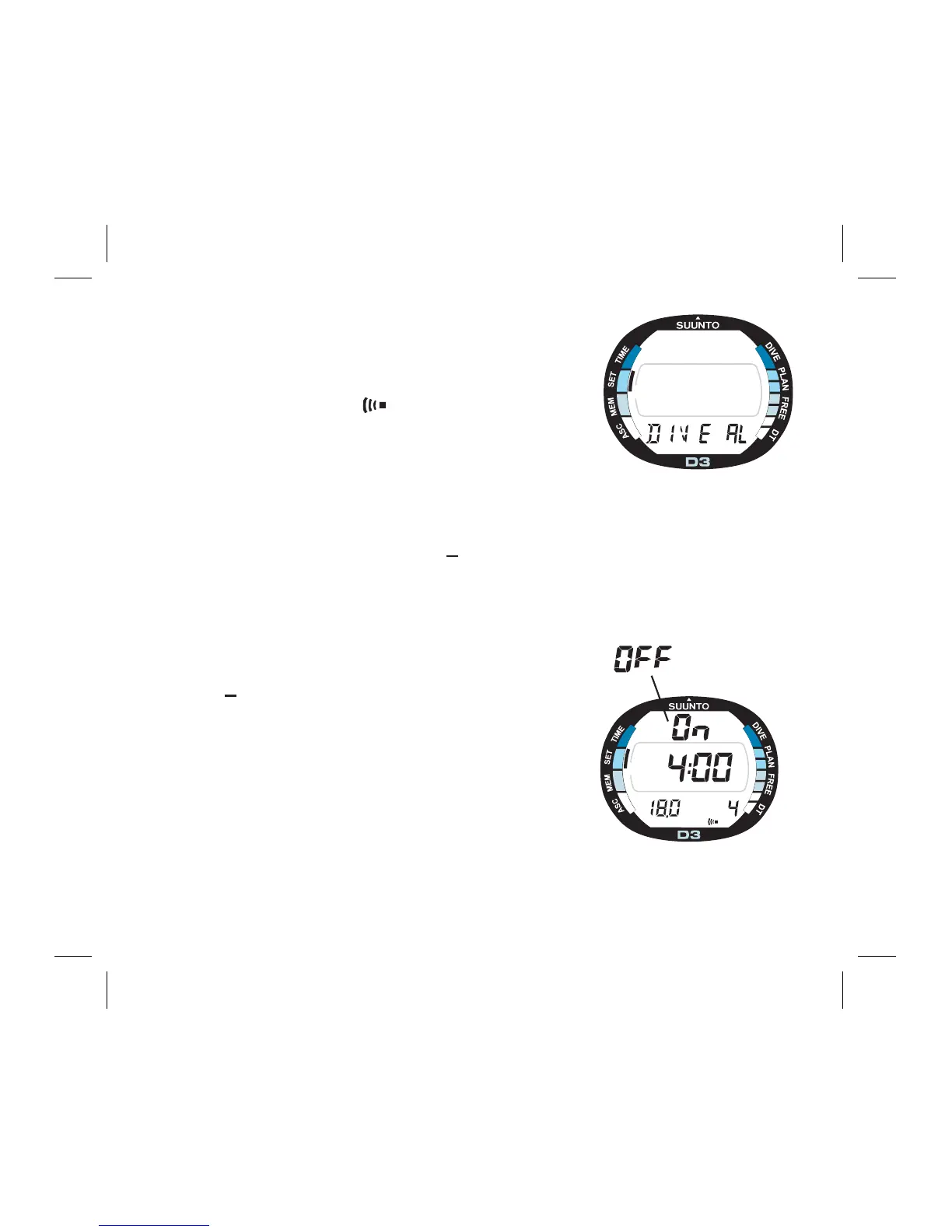
1. In the Setting Mode [SET], press S fi ve (5) times
to select the Dive Alarm Setting Mode (Fig. 4.13.).
2. Wait two seconds until the Dive Alarm Setting
Mode activates automatically. The alarm status [On/
OFF] starts to blink on the display (Fig. 4.14.).
3. Press S to change the selection in the following
sequence.
->On/OFF status -> depth alarm limit -> dive time
alarm minutes (-> dive time alarm seconds)
4. While the alarm status [On/OFF] is selected
(blinking), press + or - to change the status. When
the alarm status is On, the depth alarm indicator
( -symbol) in the bottom right corner of the display
indicates that the alarm is on.
F
R
E
E
A
C
S
Fig. 4.13. Dive Alarm Setting
Mode.
F
R
E
E
A
C
S
MAX DIVE TIME
m
Fig. 4.14. Dive Time Alarm.
Center window displays less
than 5 minutes dive time.



 To Next Page