33
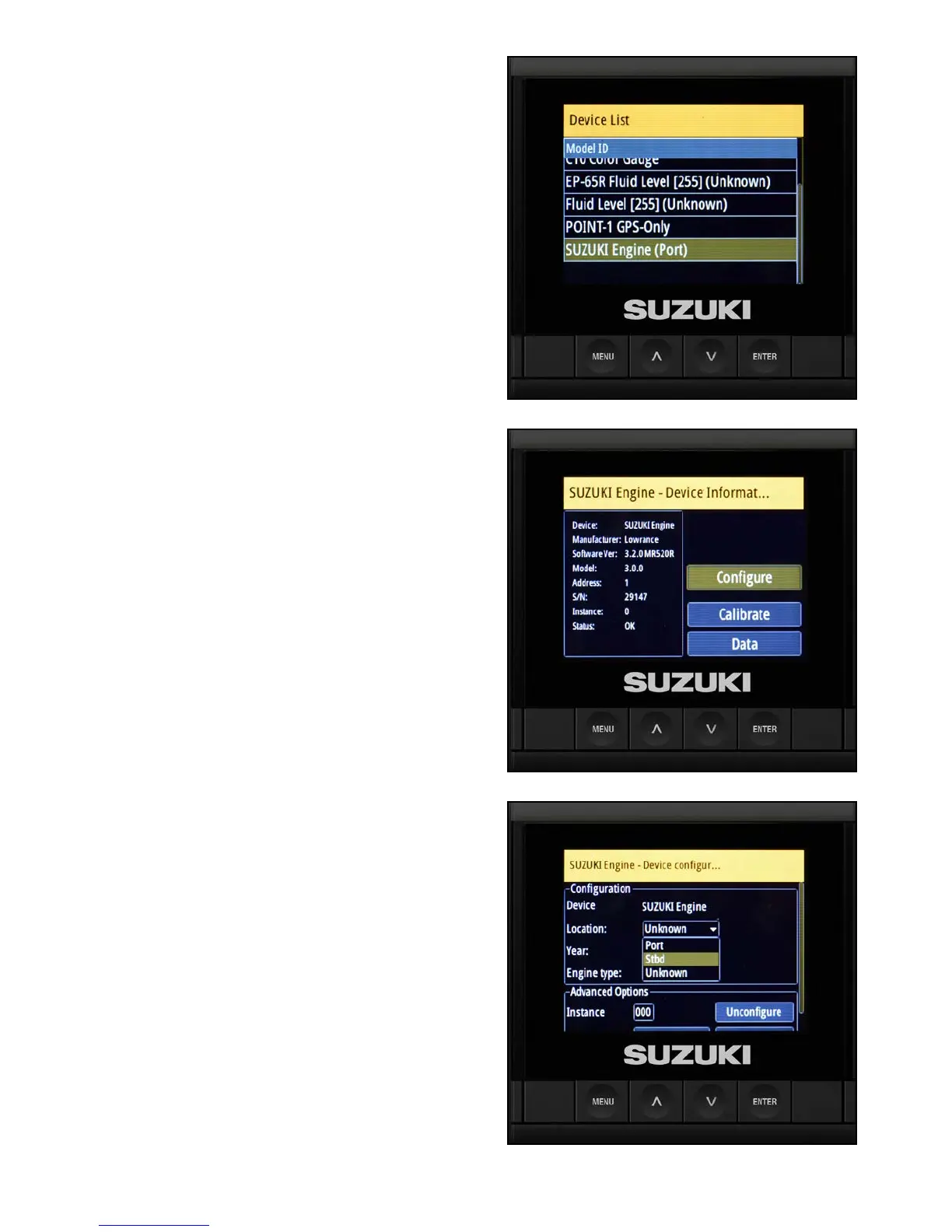
6. Using the arrow buttons, select Suzuki
Engine Interface.
7. With only the starboard engine interface
connected, use the arrow buttons to nd it on
the Device List and highlight it.
NOTE:
With a multiple engine application, it is recommended
that you connect and label each engine interface
one-by-one, starting with the starboard side rst.
The reason for this is that the engine interface
defaults to port. This makes it easier to correctly
assign the engine locations.
8. Select Congure and press Enter.
9. Select the location of the engine and label it as
Starboard (stbd).



 To Next Page