36
Conguring the Fluid Level Sensor
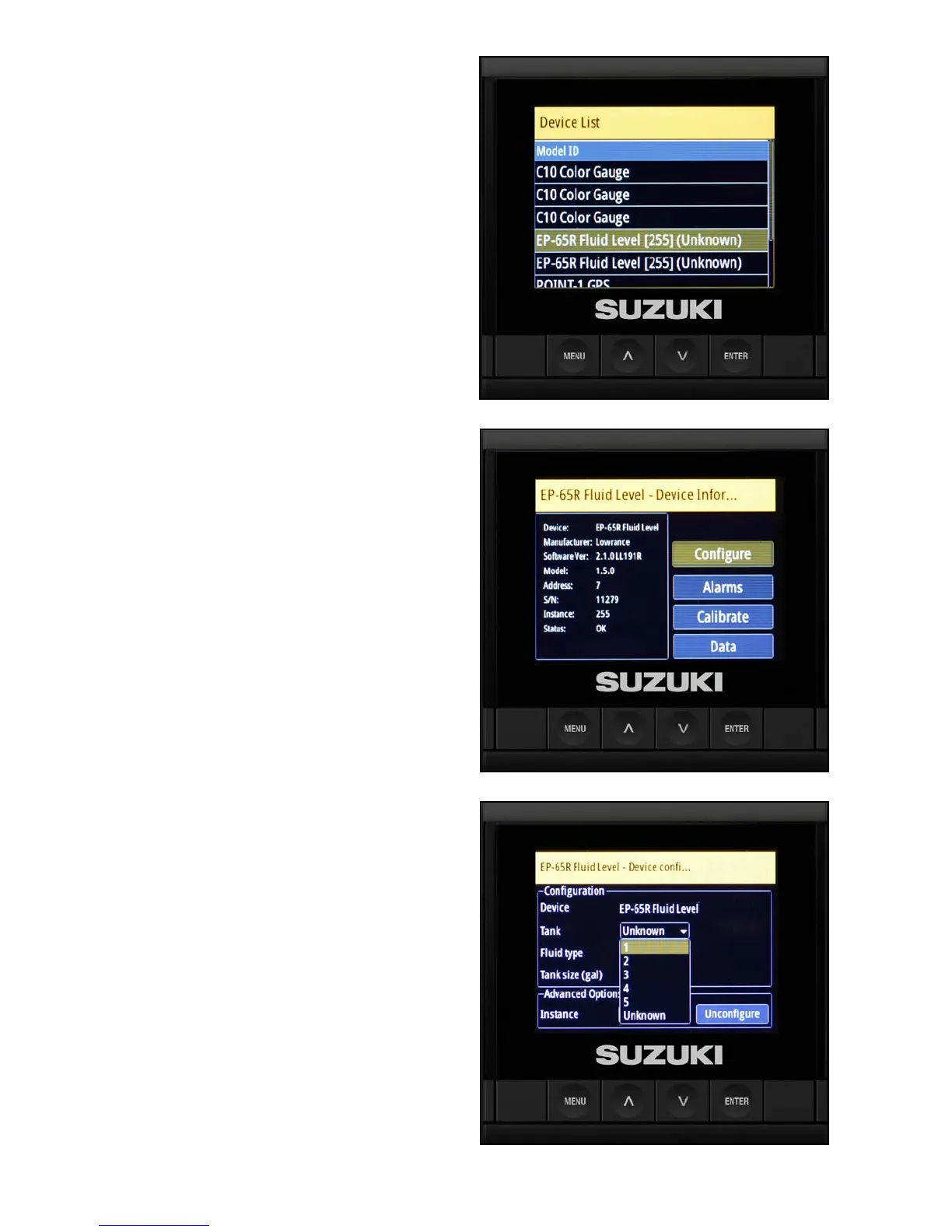
The next item on the Device List to be congured
are the uid level sensors.
1. Use the arrow buttons to highlight Suzuki
Fluid Level.
NOTE:
With multiple uid level sensors, it is recommended
that you connect and label each uid sensor one-by-
one, starting with the starboard side rst (just like the
Engine Interfaces).
2. Congure the starboard uid level sensor
rst. Use the arrow buttons to nd it on the
Device List and press Enter.
3. Select Congure and press Enter.
4. Select the Tank to number 1 in the drop-down
menu — this is your starboard uid sensor.



 To Next Page