35
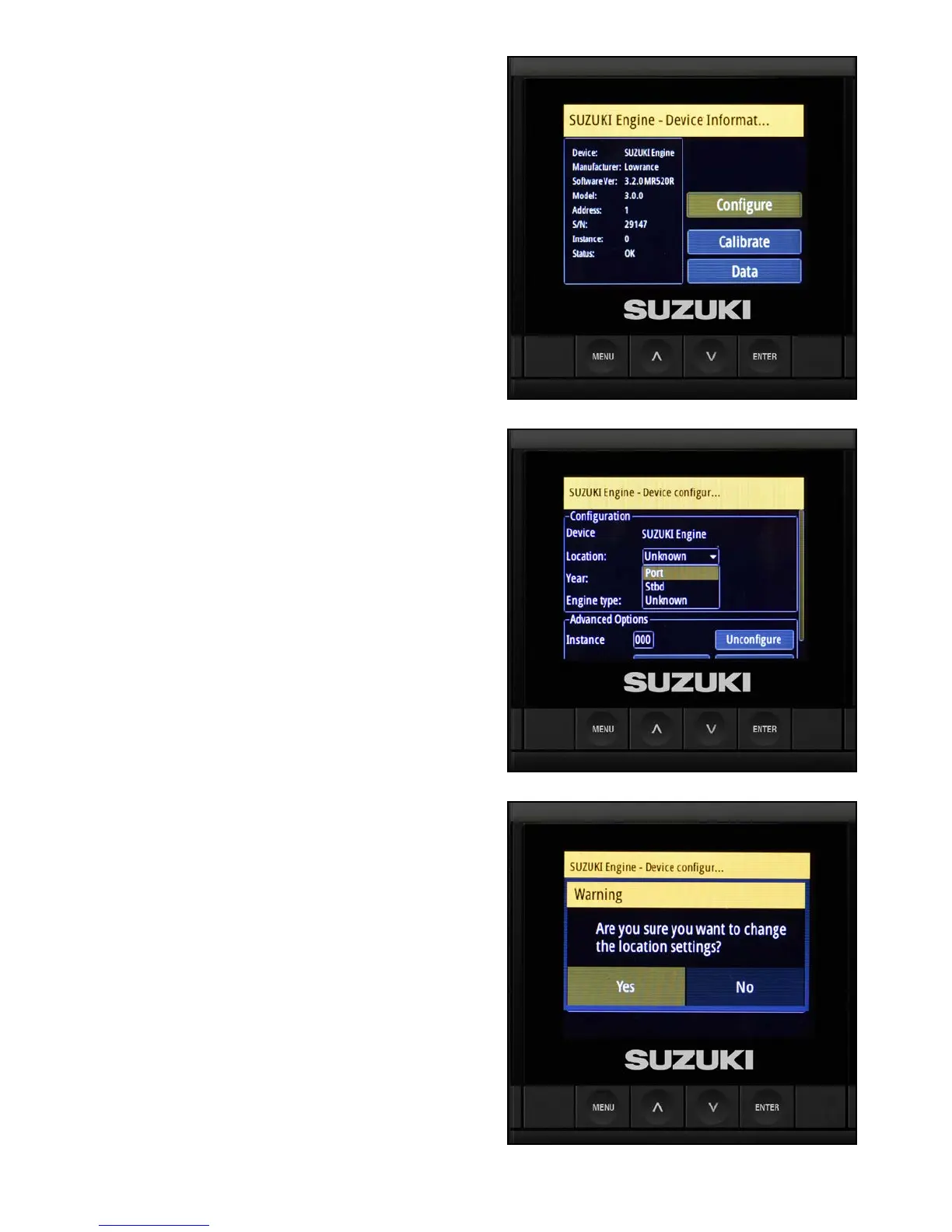
13. Use the arrow buttons to highlight Congure
and press Enter.
14. Conrm the location to port.
If the C10 displays anything other than port,
change the location to port and select Yes to
conrm the location change.
The year and engine automatically populate
the screen.
15. Select Yes to conrm the location.



 To Next Page