30
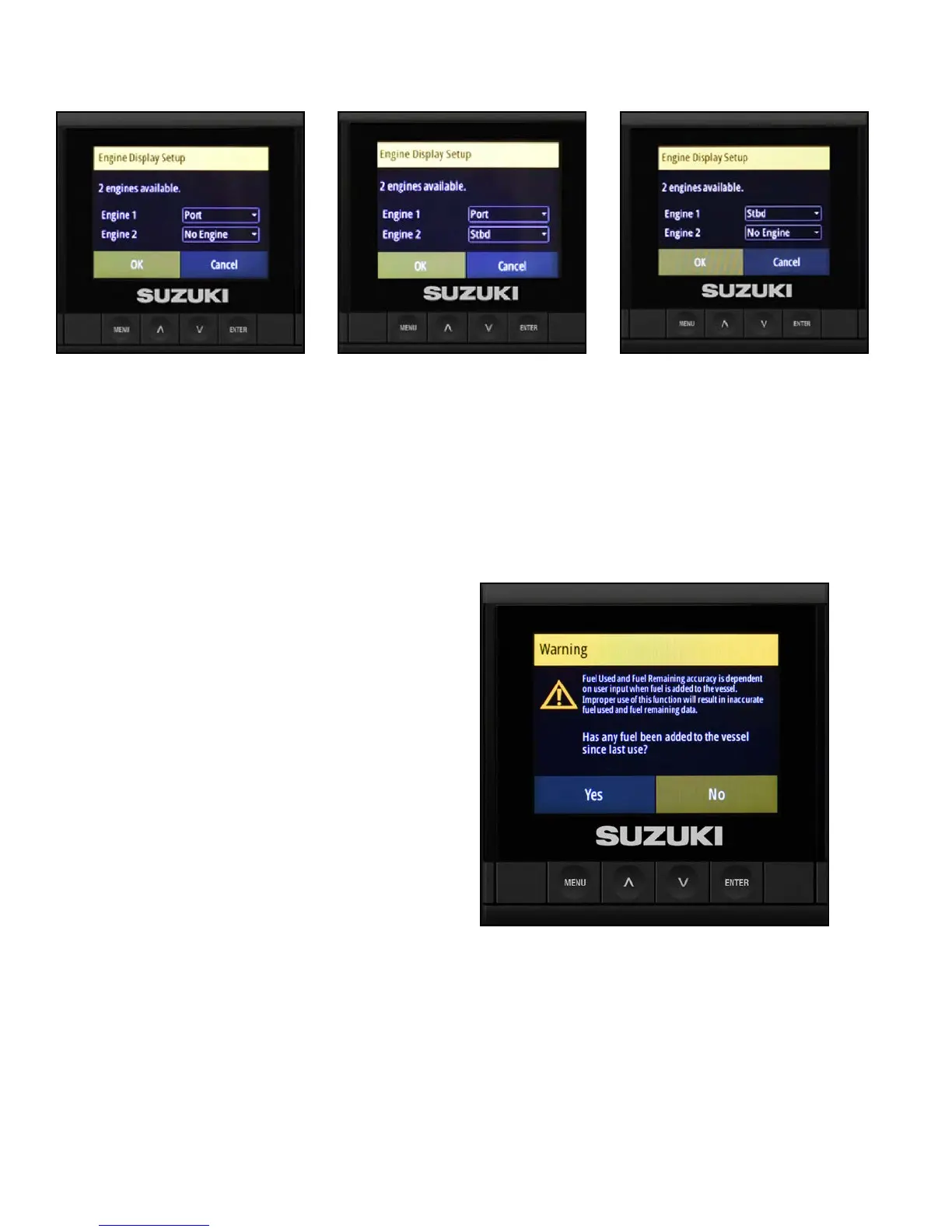
Warning Screen
The C10 uses engine fuel ow to calculate the
remaining fuel in the fuel tank.
1. After completing the congurations above,
a Warning screen asks if any fuel has been
added to the vessel since the vessel was
last used.
If you select Yes, the Add Fuel screen will open.
2. It is recommended that you ll the fuel tank to
full capacity for the initial set-up of the fuel level
display in the C10. If you desire, you can add
a uid level sensor to the vessel, and you can
then add a custom page to the C10 to monitor
this information.
When you’re nished, your three C10 Color Displays should appear as shown below.
Port C10 Color Display Center C10 Color Display Starboard C10 Color Display



 To Next Page