ENG
7
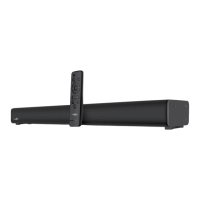
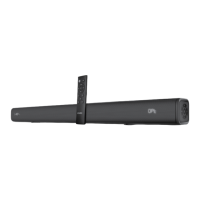
SB-2040A
Operation Manual
To switch on the soundbar, press button a on the control panel or button a on the remote
control. To switch the soundbar o, press the Standby mode button again.
Select the signal source.
Adjust the master volume with the c and g buttons on the RC.
Select the equalizer option, by pressing the j button on the RC.
After using the MSS, mind to switch it o using button a on the RC, and unplug the power
adapter from the socket.
Player mode
The system will automatically switch to the Player mode if you install USB flash in the slot h
oruse the c button on the side panel or the k button on the remote control. The selected
mode is displayed on the LED-display. Playback starts automatically.
Bluetooth mode
To transmit a signal in this mode, at rst connect the device to the signal source (see Fig. 4).
To do this, select the Bluetooth mode using the c button on the side of the soundbar or the h
button on the remote control. The MSS switches to the search mode, the display a displays “BT”.
It is necessary to select the search mode of devices with Bluetooth on a signal source (tele-
phone, notebook, smartphone, etc.). “SVEN SB-2040A” massage will be displayed onthescreen
which is to be connected to*.
If the connection is successful, the “BT” indicator has a steady glow. If the connection fails,
the“BT” indicator is intermittent. It is necessary to re-translate the system into the search mode
(turn it o and on again) **.
Note. When watching streaming video, the audio track may lag behind the image. This
isnotamalfunction, but is due to the technical capabilities of the source and receiver Blue-
tooth chips. To eliminate this desynchronization, it is recommended to use an HDMI (ARC)
connection, an optical or signal cable with an audio source.
Due to the constant development of the software, the actual MSS operation may dier fromthat
described in this manual. The most recent version of the manual is available atwww.sven..
* You might have to enter “0000” code to connect some models of devices via Bluetooth.
** If the item has been already registered in the device list of a source, then the second search
mode activation is not obligatory. Choose the item name “SVEN SB-2040A” and the “connect”
command on the source.


 To Next Page