ENG
4
2.0 USB Multimedia
Speaker System
6. TROUBLESHOOTING
Problem Cause Solution
MSS does not
turn on
MSS is not connected to the mains
outlet.
Check the connection.
No sound. Volume level is set at minimum
value.
Adjust volume control knob.
Improperly connected audio source. Connect audio sources
correctly.
There is too quiet
sound of speakers
Volume level is set at minimum
value.
Adjust volume control knob.
Distortion of
sound.
Large amplitude of the input signal. Turn down source volume
and MSS volume.
If none of the above methods can not solve the problem, please seek professional advice at
your nearest service center. Never attempt to repair the product yourself.
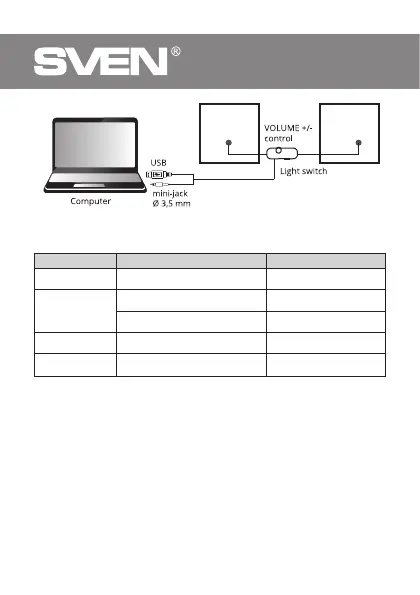
Fig. 1. Connection diagram


 To Next Page