d
j
f
ha
c
b
i
e
k
g
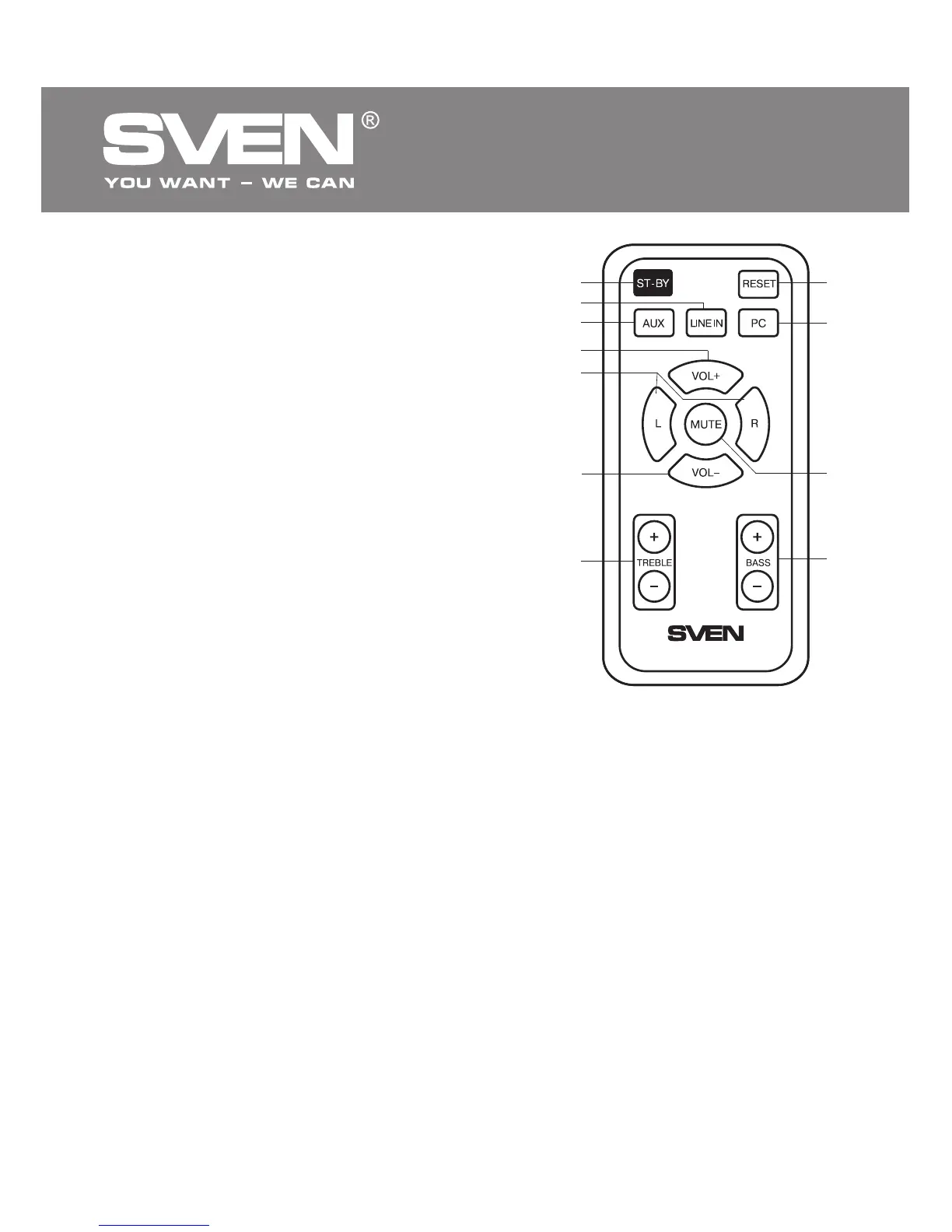
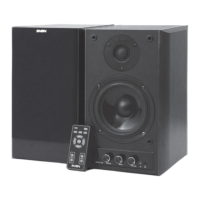
Remote control
a ST-BY: standby mode on/off button
b LINE IN: line audio input selection button
c AUX: stereo input 1 selection button
d VOL+: volume up button
e L/R: left/right channel balance adjustment buttons
f VOL–: volume down button
g TREBLE+/-: treble level control buttons
h RESET: return to default settings
i PC: stereo input 2 selection button
j MUTE: sound on/off button
k BASS+/-: bass level control buttons
Notes:
• Before operating the remote control (RC), extract
the battery, remove the protective lm, and insert
the battery back into the remote control.
• Use the RC at an angle no more than 30°, no more
than 7 m away from the IR receiver.
• Direct the RC at the IR receiver sensor on the active
speaker.
• If the RC is not working, check the battery and
replace the discharged battery with a new one.
• Remove the battery from the remote control if the
device is left unused for a long period of time (more
than a week).
Fig. 4. Remote control
5. PREPARATION AND OPERATION
Speaker placement
• Place the speakers symmetrically to the listener at least one meter away.
• Place MSS far away from monitors and TV sets, as insignicant image distortion in these su-
persensitive devices is possible.
Installation and operation
• STREAM R/STREAM MEGA R Multimedia Speaker Systems can
be connected to virtually any
audio source: DVD/CD/MP3 player, TV, PC sound card, etc. (see connection diagrams in Fig. 5a and
5b).
• Before making any connections, make sure the MSS is unplugged. Connect the speakers using the
included audio cable (see connection diagrams in Fig. 5a and 5b).
• To connect the MSS to a CD/MP3 player or a PC sound card, use the included 2RCA to mini-jack
signal cable. Connect the RCA jacks of the cable to the AUDIO IN L1/R1 h jack, and insert the
mini-jack of the cable into the Ø 3.5 mm stereo jack of your audio source.
• To connect the MSS to a DVD player or TV, use a 2RCA to 2RCA stereo signal cable (included).
Insert the RCA jacks of the cable into the AUDIO IN L2/R2 i jacks, and connect the other RCA
jacks to the audio output jacks of your TV or DVD player.
ENG
4
2.0 Multimedia Speaker System


 To Next Page