13
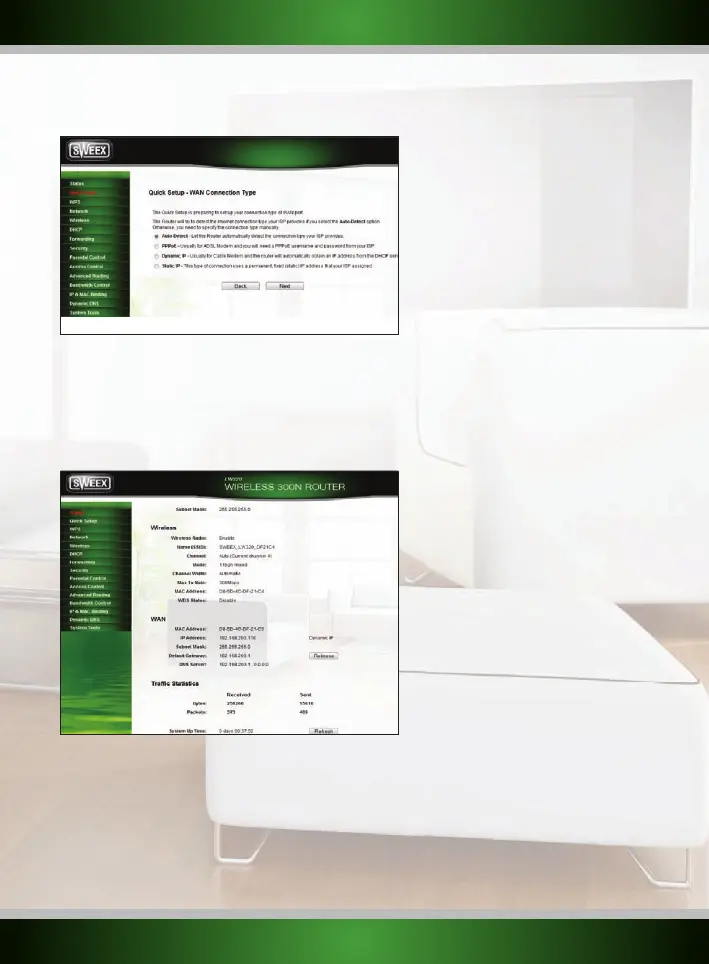
You should see the Internet Configuration Wizard screen:
You can now proceed with the advanced setup using one of the configurations described further on.
Checking if the router is successfully connected to the internet
For all configurations, it is possible to check in the router if you have a working internet connection. After applying the configuration, the router
will process the changes and take you to the “System Status” page. If this does not happen, you can click “Status” in the menu on the left. The
status page looks as follows:
Configuration 1: Auto-Detect
This option will try to detect the internet connection type automatically for your ISP.
If the connection cannot be detected automatically then it is needed to manually configure the internet connection type.
English version



 To Next Page