14
Configuration 2: PPPoE
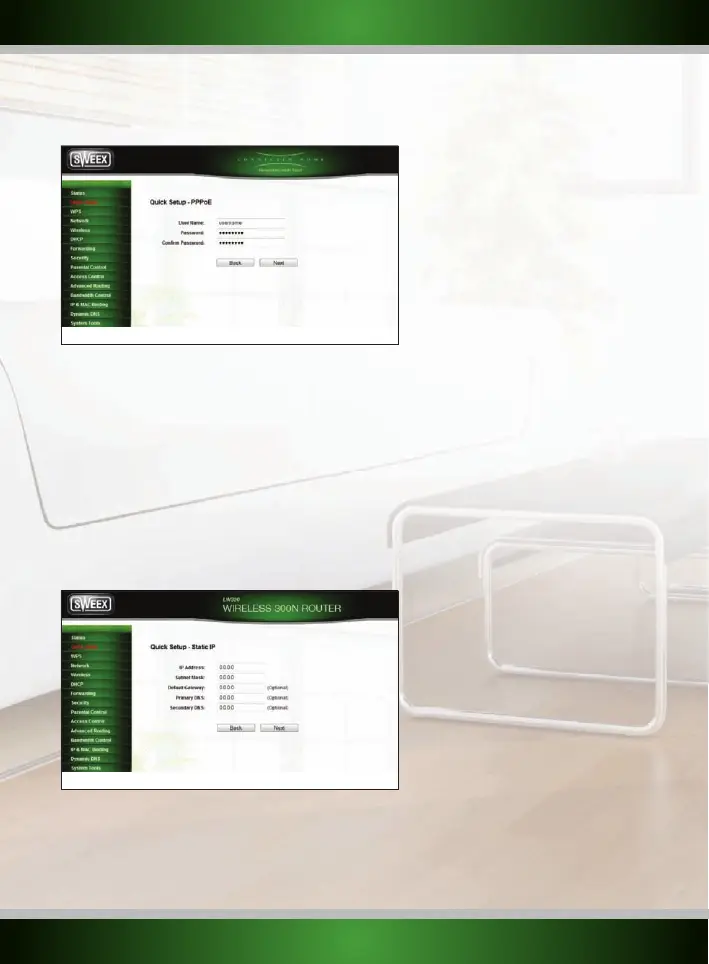
If your ISP requires the PPPoE connection type, click the “PPPoE” button. You will see the following screen:
Enter your account name (user name) that has been provided to you by your ISP in the “User Name” field and the corresponding password in
the “Password” field.
When finished, click the “Next” button and then “Finish”.
Configuration 3: Dynamic IP
Click the “Dynamic IP” button, usually this is used for Cable modem and the router will obtain an IP address from the DHCP server of you ISP.
Click the “Clone MAC Address” button. You should see the MAC Address change. Then click the “Next” button and then “Finish”
Configuration 4: Static IP
To configure the router’s WAN port for a static IP address, click the “Static IP” button. You will see the following screen:
English version



 To Next Page