©2018 SwellPro All Rights Reserved
23
Remote Controller Pairing (to the drone)
1. Connect the jumper (which is supplied with the drone) into B/VCC channel of the remote
receiver located inside the drone, now power on the drone, the receiver red light will flash
fast and indicates the start of the pairing sequence.
1.Using the left hand index finger, hold the left joystick in the lower left position at 45
degrees.
2. Using the right hand index finger, hold the right joystick in the lower left position at 45
degrees.
3. Now, using both thumbs, simultaneously press the power buttons to start the controller.
The left led will flash fast.
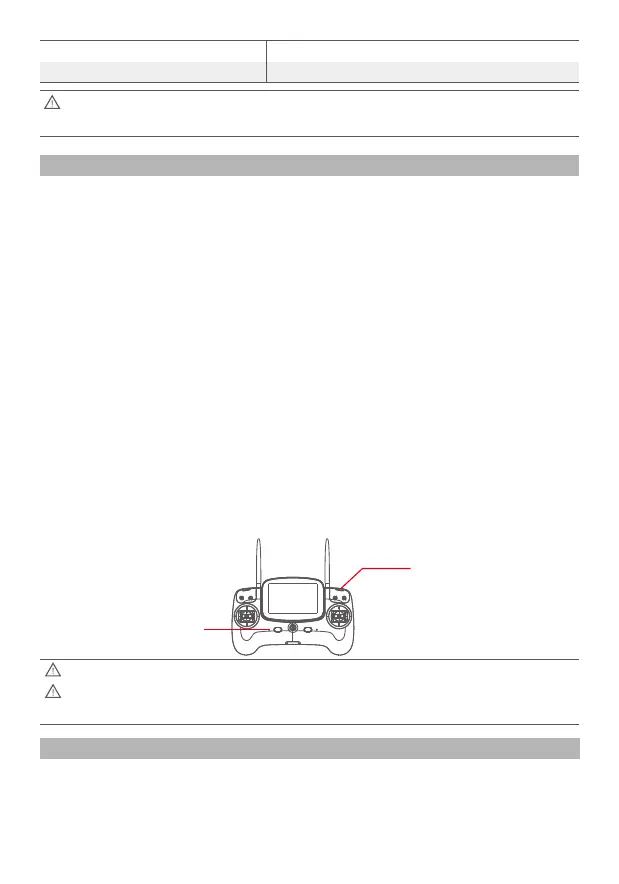
4. Now press the button at the back of the controller on the right hand side behind the GPS
and the return home switches.
5. Actuate the left joystick to its fullest extremes into each corner
6. Actuate the right joystick to its fullest extremes into each corner.
7. Actuate the thumbwheels on the back of the controller to their fullest extremes.
8. Press the button at the back right hand side of the controller to confirm and complete the
calibration procedure.
If the procedure is a success, the left hand led will flash slowly.
If the calibration is not correctly done, the left led will continue to flash fast, and a beep will
sound.
9. On completion, please power down and restart the controller.
Remote Control Joystick calibration method
Mode3:Right hand throttle
Mode4:Not used
3 Green Flashes
4 Green Flashes
After the successful re-configuration of the right throttle setting, the right joystick is the
throttle and roll, the left joystick is the Yaw and pitch.
The Remote calibration is complete when the throttle calibration is done.
Before commencing calibration, please make sure that all the toggle switches are set to
the top position.
Left led
Right pairing button














 To Next Page