66
Further information relating to the control panel features can be found in the following sections.
ELECTRICAL SYSTEMS
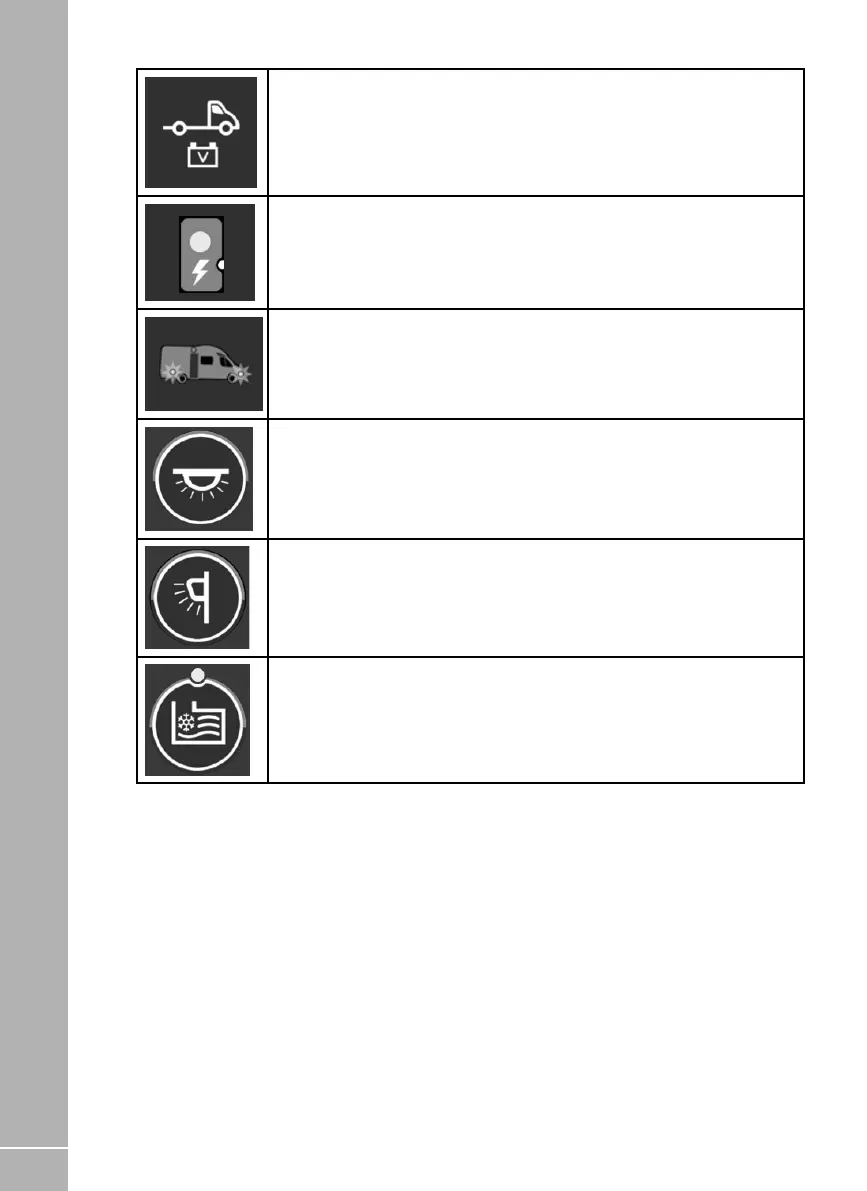
Vehicle Battery Button. To select the Vehicle battery as the source of power,
press the vehicle battery select button. The Vehicle battery indicator with then
illuminate, confirming the selected battery.
Mains On Indicator. When connected to a 230V supply and the battery charger
is turned on this indicator will illuminate.
Charging when the vehicle engine is running. When the vehicle engine is
running both the vehicle battery and the leisure battery indicators will flash in
unison to indicate that they are connected together and are being charged by
the vehicle.
Internal Lights Button. With the power on, press the internal lights button to
turn the main lighting supply on or off.
Awning Light Button. With the power on, press the awning light button to turn
the awning light on or off.
Frost Protection Button (if fitted). With the power on, press the frost protect
button to turn on the water tank heating system. The adjacent indicator will
illuminate to show that the tank heating system is on.






 To Next Page