8. Installation
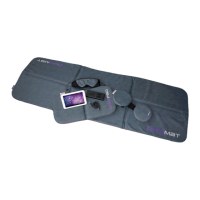
Remove all individual parts from the packaging. Remove the cable binder from the cable of the
applicator mat. Place the applicator mat onto a stable, level surface, for example the oor, a day-
bed or underneath the maress (not an interior coil maress) of a bed. Please avoid placing it
on contoured and so furniture such as seee, armchair, very so carpets or sun loungers as the
coils integrated in the mat can be damaged if they are subjected to pressure on uneven surfaces.
Please also make sure that your surroundings are as free from “electrosmog” as possible. This
means there should be no equipment such as television, microwaves, mobile telephones etc.
acvely in use in the vicinity.
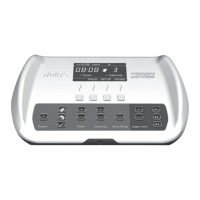
Posion the control unit some distance away from the head end of the mat (the connecng
cable is 7.7/2.37m long) and plug the jack plug of any applicator mat into one of the sockets
(13, 14 and 15) on the rear of the control unit. The iMRS automacally detects the connected
applicator. Use only original accessories and when plugging the plugs into the sockets please
check the rm connecon between the jack and the socket.
Now connect the plug aachment of the power pack with the socket (12) and plug the power
pack into a wall socket nearby (voltage 110 V - 240 V / 50 Hz - 60 Hz).
Slide the SD Card into the slot (7) to acvate the unit.
The system only works if the SD Card is installed. SD Cards are available for the use with or
without the oponal iSLRS Sound & Relaxaon System and the oponal iMORE System. If no SD
Card has been installed in the system, the main display shows the error message “NO SD CARD
PLUGGED” and the system cannot be started.


 To Next Page