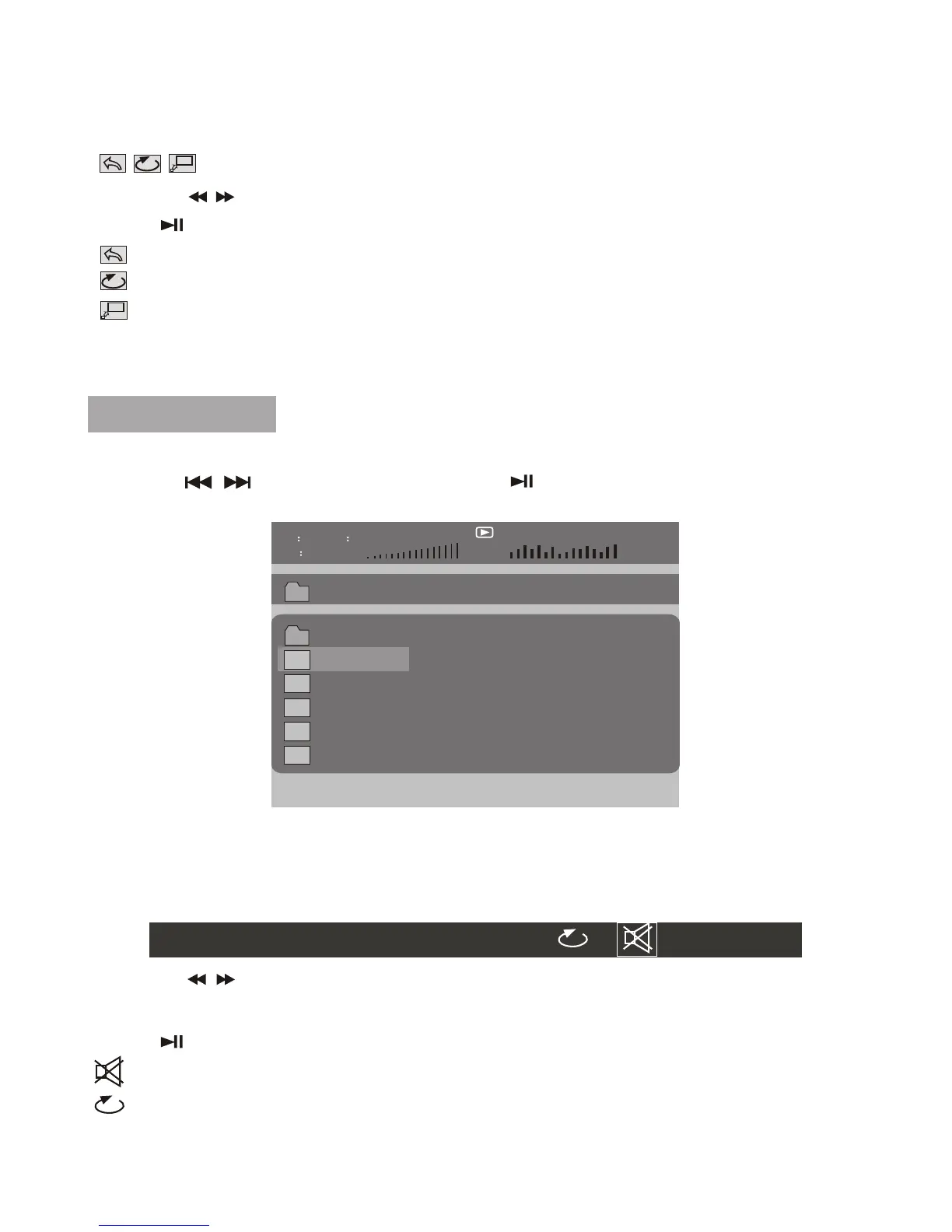
10
00 36 03 43
Dir 001
\Ctyy\
......
Mp3
TRACK01
Mp3
TRACK02
Mp3
TRACK03
Mp3
TRACK04
Mp3
TRACK05
Play MP3 File
Function operation:
1. Place a MP3 disc into the disc door.
2. Press " " to select the file; Press " " button to play the file selected.
Press "MODE" then you will see the toolbar as below:
Press the / to move the cursor to select functions,
Press the number key to select the track.
Press " " to select the function.
: MUTE, to turn mute.
: To select repeat one, repeat folder, repeat off.
Press "MODE" to exit the toolbar
0 1 2 3 4 5 6 7 8 9 OK
Press "MODE" key you will see the toolbar as below:
Press the / to move the cursor to select functions.
Press " " to select the function.
: Return, to return to the main menu.
: To repeat one, repeat all.
:To zoom in/out the image during playback.
Press "MODE" to exit the toolbar.
Function operation:





 To Next Page