General Setup
TV Display Wide
Angle Mark ON
OSD Lang ENG
Screen Saver ON
English
French
German
Italian
:Move
:Return :Entry
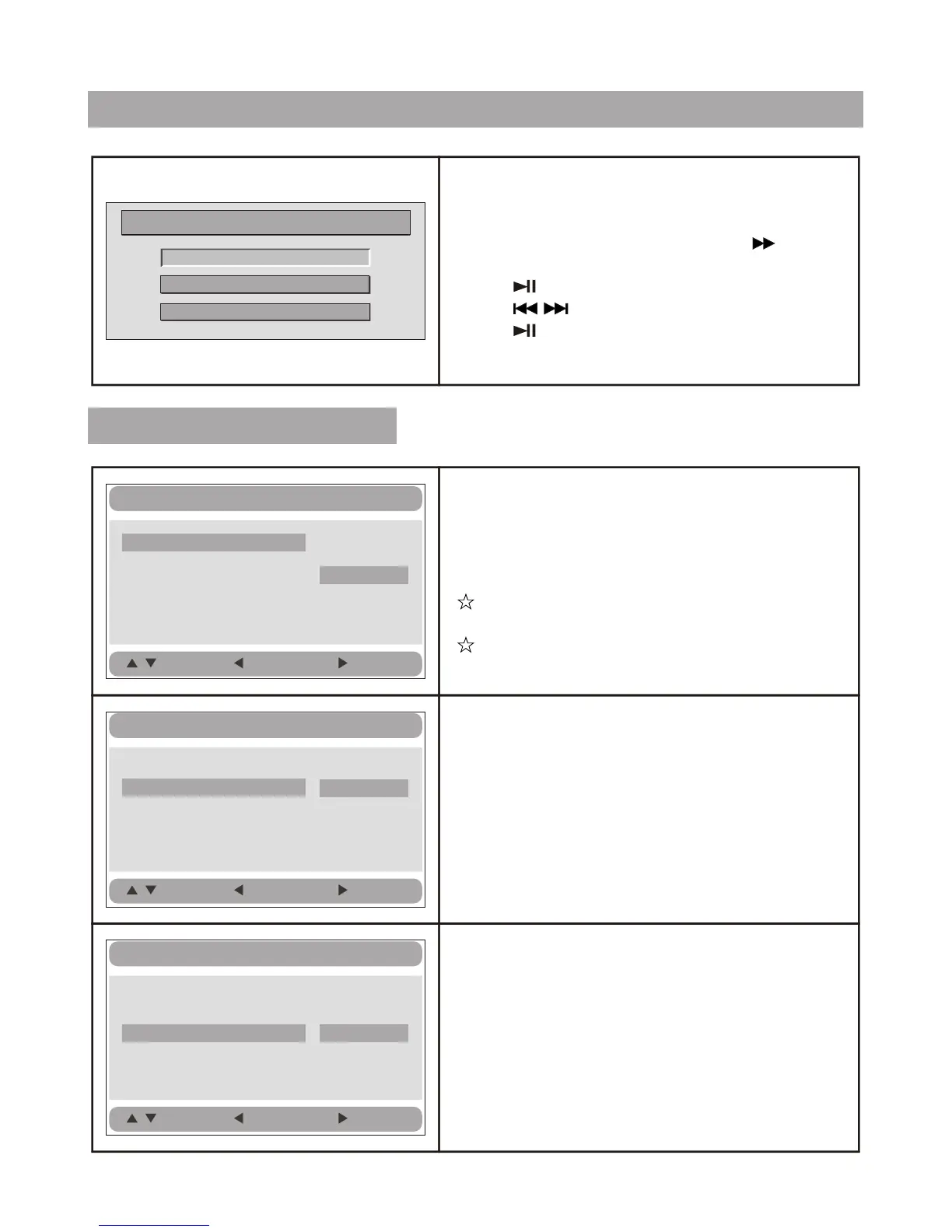
System Setup
Press button when no disk or CD door
open, the main menu will be displayed on the
screen.
In the General Setup Page, Press button
to highlight this item.
Press button to access.
Press button to select the setting.
Press button to confirm your selection.
Press MODE button to exit.
MODE
General Setup
Video Setup
Preference Setup
Setup Menu -- Main Page
General Setup Page
General Setup
TV Display Wide
Angle Mark ON
OSD Lang ENG
Screen Saver ON
Normal/PS
Normal/LB
Wide
:Move
:Return
:Entry
TV display:
Enter this option, user can set screen display
format (Nomal/PS, Nomal/LB, Wide)
The default is "Wide".
Note:
The function depends on the display ratio
with which the DVD disc is recorded.
Please choose "Wide (16:9)" when using
a 16:9 wide screen TV set.
Angle Mark:
Enter this option to set the angle during
playback.
Optional setting: ON, OFF.
The default is: ON.
General Setup
TV Display Wide
Angle Mark ON
OSD Lang ENG
Screen Saver ON
On
Off
:Move
:Return :Entry
OSD Language:
In the option user can set OSD menu
language (English, French, German, Italian).
The default: English.
11





 To Next Page