5
System Connection
Powering And Installation
Using USB
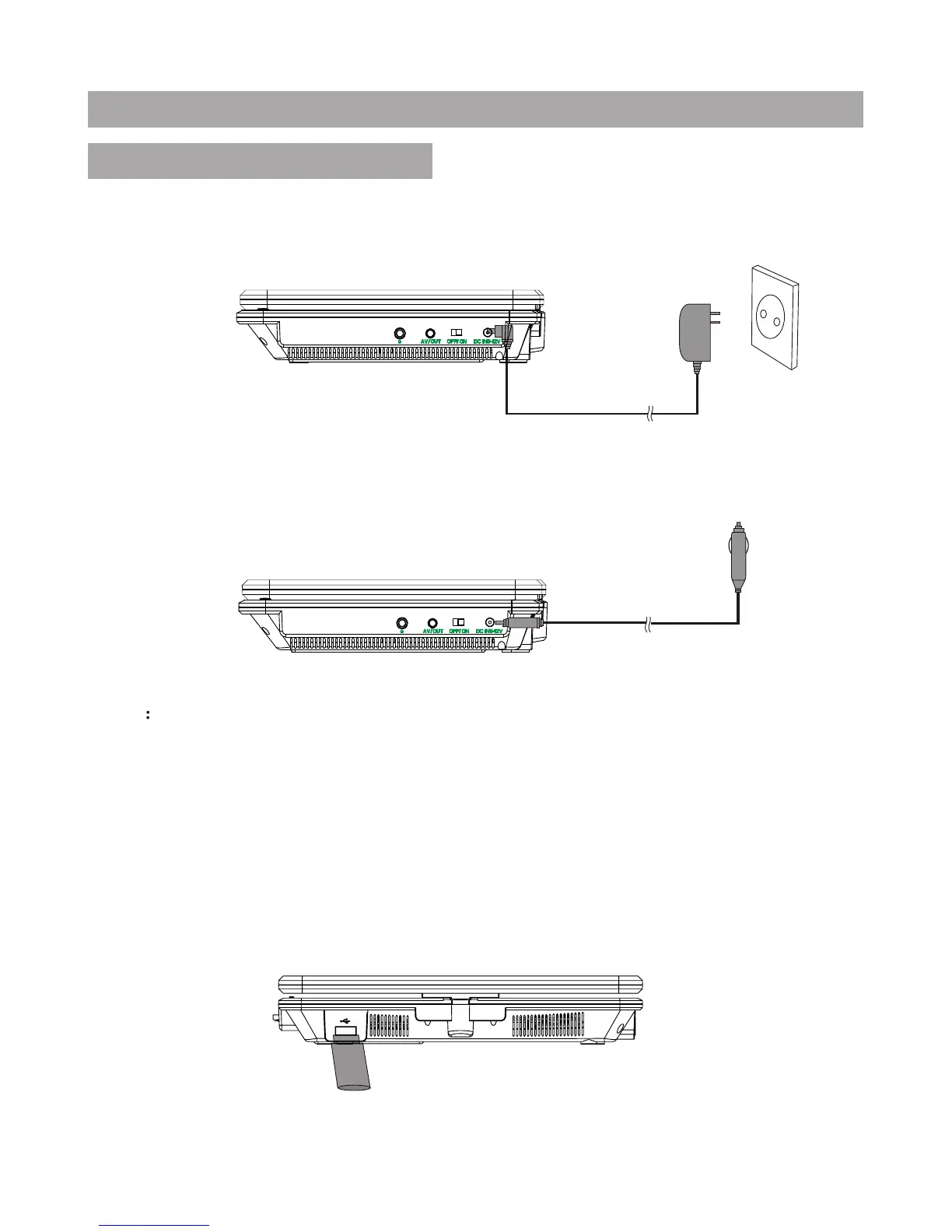
Upon using an USB, insert it into the USB slot directly.
Plug one end of the AC power Wall adapter into the DC IN9-12V jack on the
right of the machine, then plug the other end into the AC power receptacle.
Please refer to the following illustration.
If using DC power car adapter to connect to the power: Plug one end of
the DC power car adapter into the DC IN 9-12V jack on the unit, plug the
other end into the car cigarette lighter socket. See illustration below.
Note
1. DC power car adapter is available to use only when the car cigarette
lighter with DC 12V negative grounding.
2. The mains plug is used as the disconnect device, the disconnect device
should remain readily operable.





 To Next Page