7
Basic Operation
1. Connect the unit to the power;
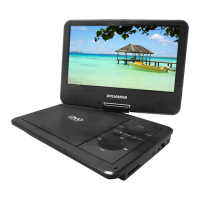
2. Open the unit and adjust the monitor to the best position for viewing.
3. Turn on the unit by sliding the ON/OFF switch to ON.
4. Open the disc door and insert a disc into the door with the label side facing
up.
5. Close the disc door. The unit will load the disc and start playing.
6. During playback,press " " to pause; press it again to resume playback.
7. When playing disc of DVD, CD, Press " ", the unit will search forward.
Press it repeatedly, the unit will play at 2, 4, 8, 16, 32 times of speed. press
" " , the unit will search backward. Press it repeatedly, the unit will play at
2, 4, 8, 16, 32 times of speed.
8. Press " " once to stop playback; then press " " to resume playback from
the point where you stopped; press " " twice to stop playback completely.
9. When the playing is finished, please turn off the power by sliding ON/OFF
switch to OFF.
10.Mode function: When press "MODE" button will auto swith to USB status
when put in USB flash disc card. Moreover, no matter put in disc or not,
will show DVD status.
Playing disc of DVD, MPEG4, SVCD, VCD, CD, MP3, XVID.
DVD
MPEG4
SVCD
VCD CD MP3 XVID
Note:
Please do not disconnect USB devices while they are working with the unit.
Functional failure may occur in case of wrong operations.





 To Next Page