Getting Started 1 - 5
Mounting the Digital Scanner
Desk Mount
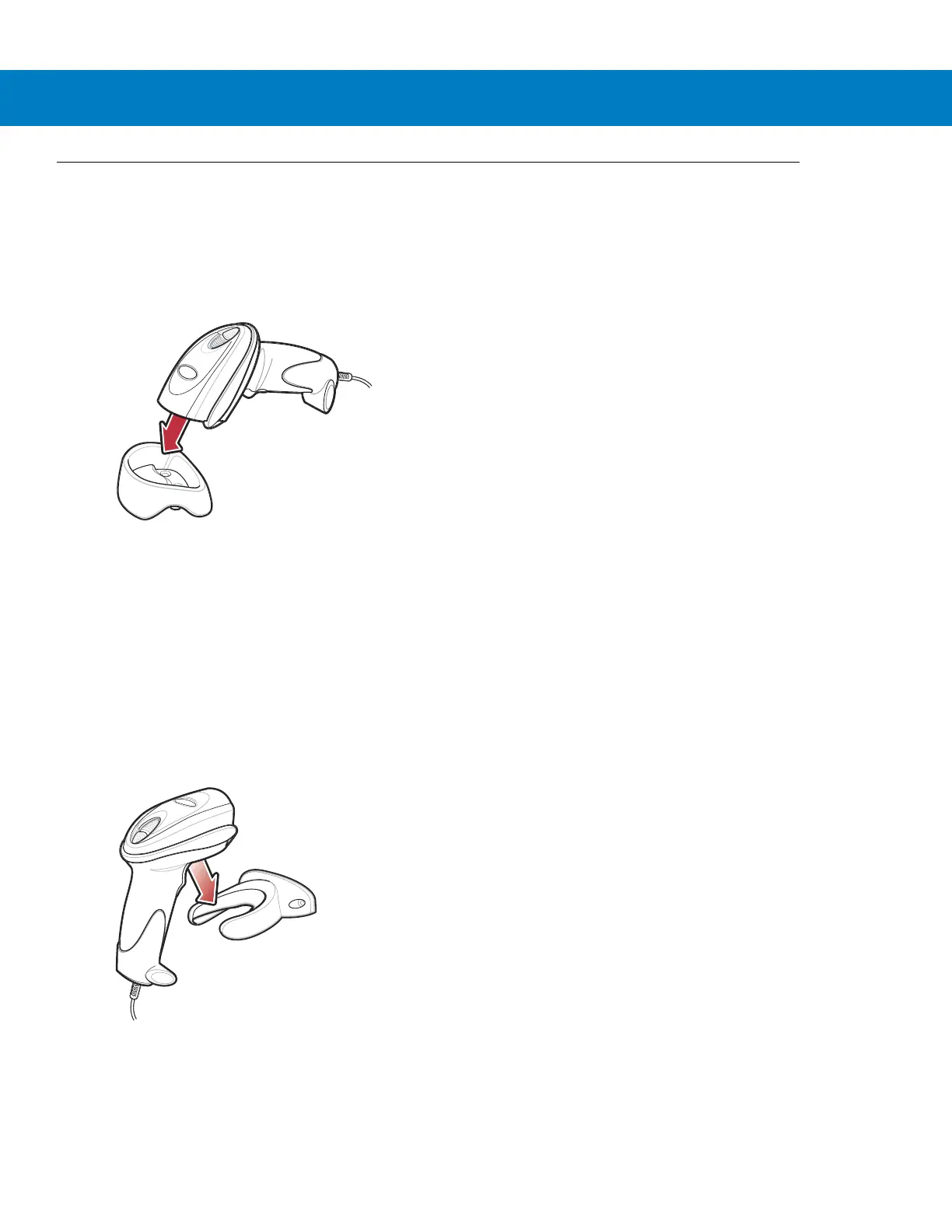
Use the optional desk mount for convenient and protective placement of the digital scanner on a flat surface.
Simply place the mount on the surface. The rubber feet hold the mount securely in place when inserting and
removing the digital scanner.
Figure 1-5
Inserting the Digital Scanner in the Desk Mount
You can secure the desk mount to a desk surface by inserting two screws* appropriate for the mounting surface
through the screw holes of the desk mount, and into the surface. Screw the desk mount onto the surface with or
without the rubber feet.
*The recommended screws are two #6 screws (5/8” long).
Wall Mount
To use the optional wall mount to mount the digital scanner on a wall, place the mount in the desired location on the
wall and secure by inserting two screws* appropriate for the mounting surface through the screw holes on the
mount, and into the surface. Insert the digital scanner into the mount as shown.
Figure 1-6
Securing the Wall Mount
*The recommended screws are two #6 screws (1” long) and two #6 washers.



 To Next Page