

 To Next Page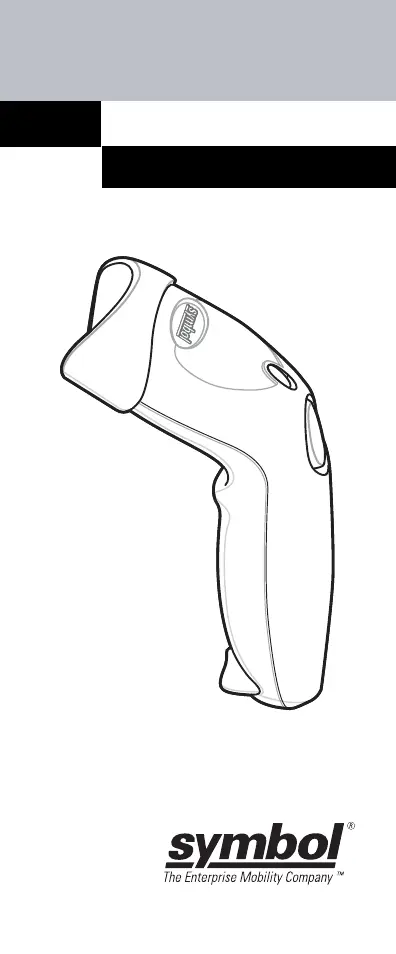


S
schmidtangelaSep 12, 2025
Why does Symbol LS1203 emit frequent beeps?
- JJulia WilcoxSep 12, 2025
If the Symbol Barcode Reader emits frequent beeps (USB host interface only), this is normal and usually happens when the host cold boots.

Why does Symbol LS1203 emit frequent beeps?
If the Symbol Barcode Reader emits frequent beeps (USB host interface only), this is normal and usually happens when the host cold boots.
Why does host display scanned data incorrectly from Symbol Barcode Reader?
If the host displays scanned data incorrectly from the Symbol Barcode Reader, ensure the proper host is selected and scan the appropriate host type programming bar code. For RS-232, set the scanner's communication parameters to match the host's settings. For USB HID keyboard or Keyboard Wedge, program the system for the correct keyboard type and language, and turn off CAPS LOCK. Program the proper editing options, and check the scanner’s host type parameters or editing options.
Why Symbol LS1203 Barcode Reader emits laser but does not decode?
If the Symbol Barcode Reader emits the laser but doesn't decode the bar code, program the scanner to read the correct bar code type. If the bar code is unreadable, scan test symbols to determine if the bar code is defaced. Adjust the distance between the scanner and the bar code, and ensure the scan line crosses every bar and space of the symbol.
What to do if Symbol Barcode Reader decodes but does not transmit data?
If the Symbol Barcode Reader decodes a bar code but doesn't transmit the data to the host, ensure the scanner is programmed for the correct host type by scanning the appropriate host type programming bar code. Also, check for loose cable connections and reconnect the cable if necessary.
Why is my Symbol Barcode Reader not transmitting decoded symbols to the host?
The scanner might not be programmed for the correct host type. To resolve this, scan the appropriate host type bar code.
What does it mean when my Symbol Barcode Reader emits low/high/low/high beeps?
If your Symbol Barcode Reader emits low/high/low/high beeps, it indicates that you are out of host parameter storage space. To fix this, scan Default Parameters on page 4-3. Alternatively, you may be out of memory for ADF rules; try reducing the number of ADF rules or the number of steps in the ADF rules.
What does it mean when my Symbol Barcode Reader emits four short high beeps (USB only)?
If your Symbol Barcode Reader emits four short high beeps (USB only), it indicates that the scanner has not completed initialization. Wait several seconds and try scanning again.
Why does my Symbol LS1203 Barcode Reader emit high/low beeps?
If your Symbol Barcode Reader emits high/low beeps, it means that the scanner is buffering Code 39 data, which is normal.
What does it mean when my Symbol LS1203 Barcode Reader emits low/high/low beeps?
If your Symbol Barcode Reader emits low/high/low beeps when scanning the Code 39 Buffering Clear Buffer bar code or upon attempt to transmit an empty Code 39 buffer, this is normal.
What does it mean when my Symbol LS1203 emits high/high/high/low beeps?
If your Symbol Barcode Reader emits high/high/high/low beeps, it is normal during a host reset when using RS-232. Otherwise, set the scanner's RS-232 parity to match the host setting.
Instructions for connecting and disconnecting the scanner's cable.
Guides for connecting the scanner to Keyboard Wedge, RS-232, and USB interfaces.
Proper technique for aiming and scanning barcodes for successful reads.
Details the two scanner modes and how to switch between them.
Identifies scanner parts and details Triggered/Auto-scan modes.
Lists common problems, causes, and suggested solutions for the scanner.
Explains beep sequences and their corresponding status indications.
Defines the meaning of different LED colors displayed by the scanner.
Instructions on how to reset all scanner parameters to their default values.
Detailed configuration for Keyboard Wedge, RS-232, and USB interfaces.
Information on setting scan data formats like Carriage Return/Line Feed.
Guidelines to prevent ergonomic injuries and ensure user safety during operation.
Covers general regulations and specific power supply requirements and warnings.
Details FCC compliance and potential radio frequency interference.
Details safety precautions and classifications for laser devices.
Explains the meaning of various compliance marks and certifications found on the scanner label.
 General
| Scan Pattern | Single line |
|---|---|
| Scan Technology | Laser |
| Connectivity | Wired |
| Decode Capability | 1D |
| Weight | 4.3 oz./122 g |
| Light Source | 650 nm visible laser diode |
| Scan Rate | 100 scans per second |
| Storage Temperature | -40° to 158° F / -40° to 70° C |
| Interface | USB, RS-232, Keyboard Wedge |
| Drop Specification | Withstands multiple 5 ft./1.5 m drops to concrete |
| Operating Temperature | 32° to 104° F / 0° to 40° C |
| Humidity | 5% to 95% (non-condensing) |
| Supported Barcodes | UPC/EAN, Code 39, Code 128 |









