3-46 TimeVault™ User’s Manual 6000-100Ch3.fm Rev. D
Chapter 3: Remote Operation Serial Access
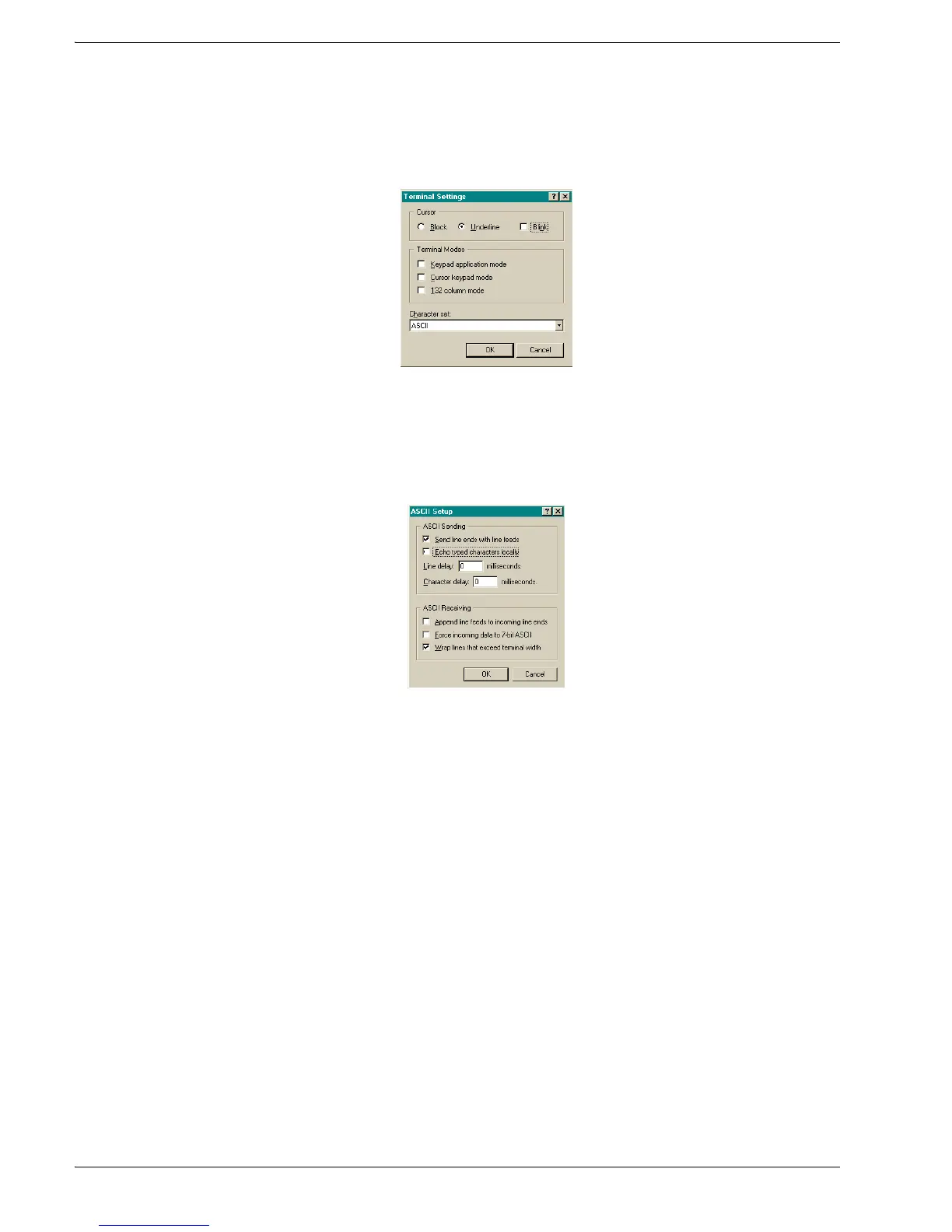
4. Click Term inal Setup and configure the terminal by selecting the appropriate
options in the Terminal Settings dialog box (with a VT100 terminal, the
recommended settings are pictured below):
5. Click OK.
TimeVault’s Properties dialog box is reactivated.
6. In TimeVault’s Properties dialog box, click ASCII Setup…
The ASCII Setup dialog box appears:
7. Place check marks in the following boxes:
• Send line end with line feeds
• Wrap lines that exceed terminal width
8. Click OK.
This returns you to TimeVault’s Properties dialog box.
9. Click OK.
This returns you to your HyperTerminal session window, where you can enter
“F” series commands. Press the Return key to get a > prompt.



 To Next Page